Access Control Systems with Multi Factor Authentication
Explore access control systems that utilize multi-factor authentication for an added layer of security.
Explore access control systems that utilize multi-factor authentication for an added layer of security.
Access Control Systems with Multi Factor Authentication
Hey there! Let's talk about something super important for keeping your spaces secure: Access Control Systems with Multi-Factor Authentication (MFA). You know, just having a key card or a simple password isn't always enough these days. We're living in a world where security breaches are unfortunately common, so beefing up how people get into your building, your data centers, or even just a specific room is crucial. MFA adds those extra layers of protection, making it way harder for unauthorized folks to sneak in.
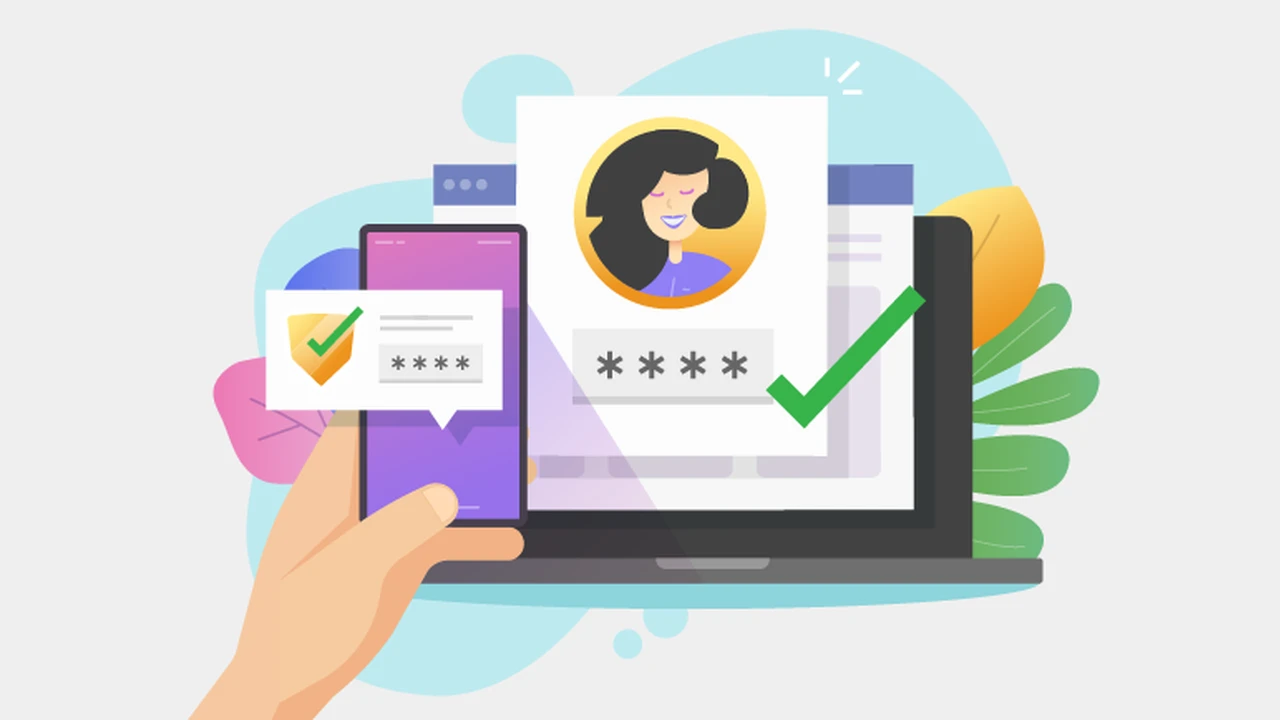
Think of it like this: instead of just one lock on your door, you've got two or three different types of locks that all need to be opened in a specific way. That's essentially what MFA does for your access control. It requires users to present two or more verification factors from independent categories to gain access. This isn't just for your fancy corporate offices; it's becoming a must-have for pretty much any place that needs serious security, from schools to hospitals to government facilities.
Understanding Multi Factor Authentication for Enhanced Security
So, what exactly are these 'factors' we're talking about? Generally, they fall into three main categories:
- Something you know: This is your classic password, PIN, or a secret question. It's information only you should possess.
- Something you have: This could be a physical token, a smart card, a mobile device (for a one-time code), or even a digital certificate. It's an item that's physically in your possession.
- Something you are: This is where biometrics come in – your fingerprint, facial scan, iris scan, or even voice recognition. It's a unique biological characteristic.
When an access control system uses MFA, it means you need to provide at least one factor from two or more of these categories. For example, you might need to swipe a key card (something you have) AND enter a PIN (something you know). Or, you might use your fingerprint (something you are) AND receive a one-time code on your phone (something you have). The more factors you combine, the stronger your security posture becomes.
Why Multi Factor Authentication is a Game Changer for Access Control
You might be thinking, "Isn't a good old key card enough?" Well, not always. Here's why MFA is such a big deal for access control:
- Increased Security: This is the most obvious benefit. If a hacker manages to steal a password or clone a key card, they still can't get in because they're missing the other factor. It significantly reduces the risk of unauthorized access.
- Protection Against Phishing and Social Engineering: Many breaches happen because someone falls for a phishing scam and gives up their credentials. With MFA, even if they give up one piece of information, the attacker still can't get in.
- Compliance Requirements: Many industries, especially those dealing with sensitive data (like healthcare or finance), have strict regulatory requirements that mandate the use of MFA for access to certain areas or systems.
- Reduced Insider Threats: While not foolproof, MFA can help mitigate risks from disgruntled employees or those who might try to access areas they shouldn't, even if they have some level of legitimate access.
- Enhanced Audit Trails: MFA systems often provide more detailed logs of who accessed what, when, and how, which is invaluable for security audits and investigations.
Common MFA Implementations in Access Control Systems
Let's dive into some practical ways MFA is used in access control. You'll see a mix of technologies here, often combined to create a robust system:
Biometric and Card Reader Combinations for Secure Entry
This is a very popular and effective combination. Imagine needing to swipe your access card AND place your finger on a scanner. This combines 'something you have' with 'something you are'.
- Fingerprint Readers: These are widely used due to their convenience and accuracy. They're great for high-traffic areas where speed is important.
- Facial Recognition: Becoming more common, especially with advancements in AI. It offers touchless access, which is a big plus in certain environments.
- Iris Scanners: Extremely accurate and difficult to spoof, often used in very high-security areas like data centers or research labs.
Example Product: HID Global iCLASS SE® RPK40 with Fingerprint Reader. This reader combines a multi-technology card reader (for various card types) with a robust fingerprint sensor. It's designed for outdoor use and offers strong encryption. You'd typically see this in corporate offices, government buildings, or manufacturing facilities where both convenience and high security are needed. Price-wise, these can range from $500 to $1500+ per reader, depending on features and installation complexity.
PIN and Card Access Systems for Layered Protection
This is probably one of the most common and cost-effective MFA solutions. You present your access card (something you have) and then enter a unique PIN (something you know) on a keypad. If someone steals your card, they still don't have your PIN. If they somehow get your PIN, they still need the physical card.
Example Product: Paxton Net2 Entry System with Keypad. Paxton's Net2 is a popular access control system, and their entry panels often include a keypad alongside a proximity reader. This allows for card + PIN access. It's a great solution for schools, smaller businesses, and even residential complexes. A basic Net2 system with a few readers and software can start from a few thousand dollars, with individual readers costing around $200-$500.
Mobile Credentials and Biometrics for Modern Access
With everyone carrying smartphones, using them as an access credential is a no-brainer. Combine that with biometrics on the phone itself (like Face ID or Touch ID), and you've got a powerful MFA solution.
- Mobile Access Apps: Your phone acts as your 'card', communicating with the reader via Bluetooth or NFC.
- Phone Biometrics: You authenticate on your phone using your fingerprint or face, and then the phone sends the access signal.
Example Product: HID Mobile Access with Seos® Technology. This system allows users to use their smartphone as a secure credential. You'd typically unlock your phone with your fingerprint or face (the biometric factor) and then present your phone to an HID reader (the 'something you have' factor). This is fantastic for modern offices, tech companies, and any organization looking for a convenient and secure mobile-first approach. The cost involves licensing for mobile credentials (often per user per year, ranging from $5-$20) and compatible readers (similar to card readers, $300-$800+).
Smart Cards with Digital Certificates and PINs for High Security
For the absolute highest security environments, smart cards are often used. These cards contain embedded microchips that can store digital certificates and cryptographic keys. When combined with a PIN, they offer extremely strong authentication.
Example Product: Gemalto (Thales) SafeNet IDPrime Smart Cards. These are often used in government, defense, and financial sectors. The user inserts the smart card into a reader (something they have) and then enters a PIN (something they know) to authenticate. The card itself performs cryptographic operations to verify identity. These systems are complex and expensive, with smart card readers costing $50-$200 each and the cards themselves being a few dollars each, plus significant software and infrastructure costs.
Choosing the Right MFA Access Control System for Your Needs
Okay, so you're convinced MFA is the way to go. But how do you pick the right system? It's not a one-size-fits-all situation. Here are some things to consider:
- Security Requirements: How sensitive is the area you're protecting? A server room will need much stronger MFA than a general office entrance.
- User Experience: How easy is it for people to use? If it's too cumbersome, people will try to bypass it, defeating the purpose. Biometrics are often preferred for convenience.
- Cost: MFA systems can range from relatively affordable to very expensive. Consider the initial hardware costs, software licenses, installation, and ongoing maintenance.
- Scalability: Can the system grow with your organization? If you plan to expand, you'll want a system that can easily add more users and access points.
- Integration: Does it integrate with your existing security systems (CCTV, alarm systems) or HR/IT systems? Seamless integration makes management much easier.
- Environment: Is it for indoor or outdoor use? Does it need to be weather-resistant or vandal-proof?
- Compliance: Are there any industry-specific regulations you need to meet?
For a small office, a card + PIN system might be perfectly adequate and cost-effective. For a large data center, you're probably looking at biometrics combined with smart cards or mobile credentials. For a school, a mobile credential system with biometrics could offer both security and convenience for students and staff.
Installation and Maintenance Considerations for MFA Systems
Implementing an MFA access control system isn't just about buying the hardware. There are a few practical things to keep in mind:
- Professional Installation: Unless you're dealing with a very simple DIY system, professional installation is highly recommended. These systems need to be wired correctly, configured properly, and integrated with your network.
- Software Configuration: The software that manages your MFA system is just as important as the hardware. It needs to be set up to define access levels, manage user credentials, and generate reports.
- User Training: People need to know how to use the system correctly. Clear instructions and training can prevent frustration and security gaps.
- Regular Maintenance: Like any technology, MFA systems need regular maintenance. This includes software updates, checking hardware for wear and tear, and ensuring all components are functioning correctly.
- Credential Management: You'll need a robust process for issuing, revoking, and managing credentials (cards, mobile access, biometric templates).
- Privacy Concerns: Especially with biometrics, be mindful of privacy regulations and clearly communicate your policies to users.
The Future of Multi Factor Authentication in Access Control
MFA in access control is constantly evolving. We're seeing some exciting trends:
- Behavioral Biometrics: Systems that analyze how you walk, type, or interact with devices to continuously authenticate you, rather than just at the point of entry.
- Contextual Authentication: Access decisions based on multiple factors like location, time of day, device used, and even weather conditions.
- Blockchain for Identity: Decentralized identity management using blockchain could offer even more secure and private ways to manage access credentials.
- AI and Machine Learning: AI is being used to detect anomalies in access patterns, identify potential threats, and even predict security risks before they happen.
So, whether you're securing a small office or a massive enterprise, integrating multi-factor authentication into your access control system is a smart move. It's not just about adding more steps; it's about creating a much more resilient and trustworthy security perimeter. Stay safe out there!
:max_bytes(150000):strip_icc()/277019-baked-pork-chops-with-cream-of-mushroom-soup-DDMFS-beauty-4x3-BG-7505-5762b731cf30447d9cbbbbbf387beafa.jpg)