Home Alarm Systems with Cellular Backup
Discover alarm systems that offer cellular backup ensuring continuous monitoring even during power or internet outages.
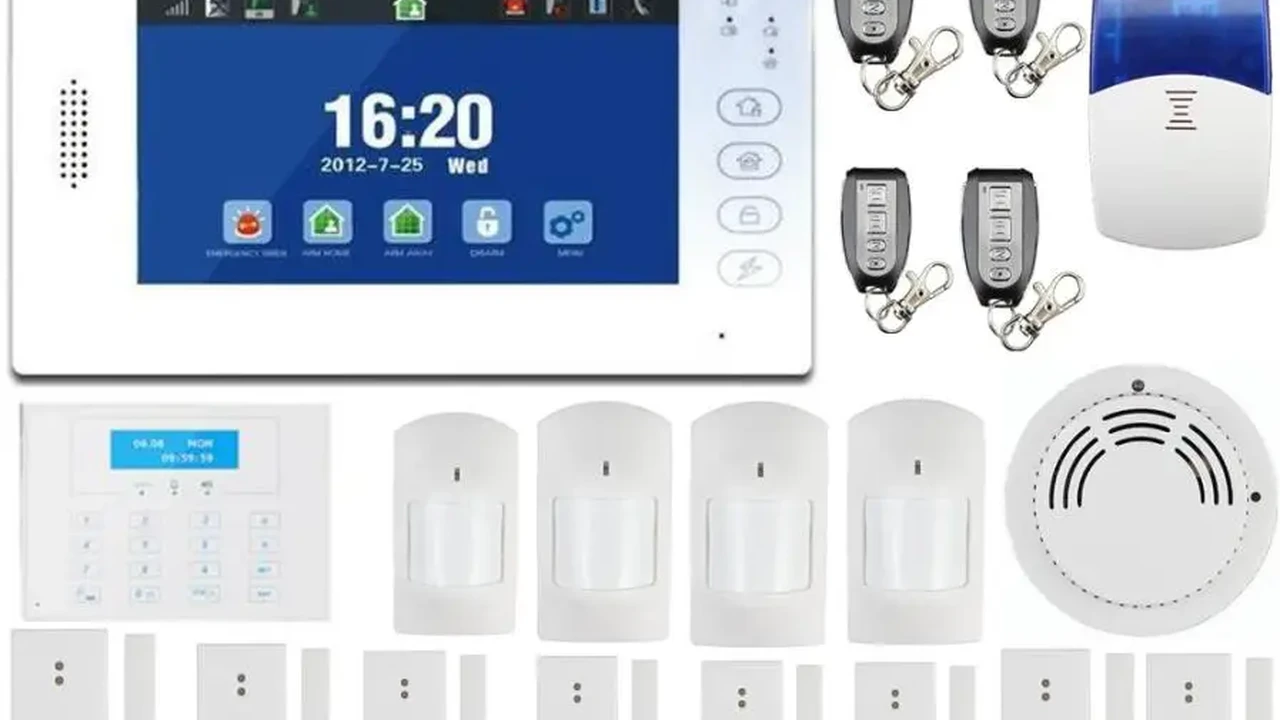
Discover alarm systems that offer cellular backup ensuring continuous monitoring even during power or internet outages.
Home Alarm Systems with Cellular Backup
Hey there, security-conscious homeowner! Let's talk about something super important for your peace of mind: home alarm systems with cellular backup. You've probably heard of alarm systems that connect to your Wi-Fi or landline, right? But what happens when the power goes out, or your internet connection decides to take an unexpected vacation? That's where cellular backup swoops in like a superhero, ensuring your home remains protected no matter what.
Think about it: a power outage isn't just an inconvenience; it can be a prime opportunity for burglars. If your alarm system relies solely on your home's power or internet, a simple cut to the power line or a Wi-Fi glitch could render it useless. Cellular backup acts as a secondary, independent communication channel, using cellular networks (just like your smartphone) to send alerts to you or your monitoring center. This means your security system stays online and vigilant, even when everything else goes dark. It's like having a secret agent for your home security, always on call.
Why Cellular Backup is a Game Changer for Home Security
So, why is cellular backup such a big deal? Well, for starters, it offers unparalleled reliability. Unlike landlines, which can be easily cut, or Wi-Fi, which can be disrupted by outages or technical issues, cellular signals are much harder to disable. This makes your alarm system significantly more robust against intentional tampering and accidental disruptions. Imagine a scenario where a burglar cuts your power lines before attempting a break-in. Without cellular backup, your alarm system would go silent. With it, an alert is still sent, giving you and the authorities crucial time to react.
Another huge advantage is its independence. Cellular backup doesn't rely on your home's existing infrastructure. This is particularly beneficial for homes in areas prone to power outages, or for those who prefer not to have a landline. It also adds a layer of redundancy, meaning if one communication method fails, another is ready to take over. This multi-layered approach to communication is what makes cellular backup a cornerstone of truly reliable home security.
Furthermore, cellular backup often comes with faster response times. Because the signal is sent directly over a dedicated cellular network, it can sometimes be quicker than traditional landline or internet-based alerts, especially during peak network usage times. Every second counts when it comes to a security breach, and cellular backup can make a real difference in getting help to your home faster.
Understanding How Cellular Backup Works with Your Alarm System
At its core, cellular backup for home alarm systems functions much like your mobile phone. Your alarm panel contains a cellular module, often with a SIM card, that connects to a cellular network provider (like AT&T, Verizon, T-Mobile, etc.). When an alarm is triggered, or if there's a system event (like a power outage), the panel attempts to send a signal to the monitoring center. If the primary communication method (usually Wi-Fi or landline) is unavailable, the cellular module automatically kicks in, using the cellular network to transmit the alert.
This process is typically seamless and automatic. You don't need to do anything manually. The system is designed to detect a loss of primary communication and switch to cellular backup without any intervention from you. This ensures continuous protection without you having to constantly monitor your system's connectivity. It's a set-it-and-forget-it kind of reliability, which is exactly what you want from a security system.
Most modern cellular backup systems also include a battery backup for the main control panel. This means that even if the power goes out completely, the alarm system itself will continue to function for a certain period, typically 12 to 24 hours, powered by its internal battery. This combination of battery backup and cellular communication creates a truly resilient security solution, capable of withstanding most common disruptions.
Key Features to Look for in Cellular Backup Alarm Systems
When you're shopping for a home alarm system with cellular backup, there are a few key features you'll want to keep an eye out for to ensure you're getting the best protection:
Dual-Path Communication for Enhanced Reliability
Look for systems that offer dual-path communication. This means the system uses both Wi-Fi (or landline) and cellular simultaneously or as primary/secondary options. This redundancy significantly increases reliability, as it's highly unlikely that both communication paths would fail at the same time. Some advanced systems even prioritize cellular for critical alerts, ensuring the fastest possible transmission.
Long-Lasting Battery Backup for Extended Protection
As mentioned, battery backup is crucial. Check the specifications for how long the system's battery can power the control panel and essential sensors during a power outage. A minimum of 12-24 hours is generally recommended, but longer is always better, especially if you live in an area with frequent or prolonged power disruptions.
24/7 Professional Monitoring with Cellular Reporting
While DIY monitoring is an option, professional monitoring services are highly recommended, especially when paired with cellular backup. This ensures that trained professionals are always on standby to receive alerts and dispatch emergency services, even if you're unreachable. Confirm that the monitoring service fully supports cellular reporting for seamless communication.
Tamper Detection and Anti-Jamming Technology
A good cellular backup system should also include tamper detection for the control panel and anti-jamming technology. Tamper detection alerts you if someone tries to disable or damage the main panel. Anti-jamming technology helps the system resist attempts by sophisticated burglars to block cellular signals, further enhancing its resilience.
Integration with Smart Home Devices for Comprehensive Control
Modern alarm systems often integrate with other smart home devices like smart locks, lights, and thermostats. Ensure your chosen system's cellular backup capabilities extend to these integrations, allowing you to maintain control and receive alerts from all your connected devices even during outages.
Top Home Alarm Systems with Cellular Backup: Product Recommendations
Alright, let's get down to some specific recommendations. These systems are well-regarded for their cellular backup capabilities, reliability, and overall security features. Remember, prices can vary based on packages, equipment, and monitoring plans.
1. SimpliSafe: DIY Friendly with Robust Cellular Backup
SimpliSafe is a fantastic option for those who prefer a DIY installation but don't want to compromise on professional-grade security. Their systems come standard with cellular backup, ensuring your home is protected even if your Wi-Fi goes down. They use a dedicated cellular module in their base station.
- Key Features: Easy DIY installation, no long-term contracts for monitoring, wide range of sensors (entry, motion, glass break, smoke, CO, water), optional professional monitoring with cellular backup, battery backup for base station (up to 24 hours).
- Use Case: Ideal for renters, homeowners who want flexibility, and those looking for an affordable yet reliable security solution. Great for apartments and smaller to medium-sized homes.
- Comparison: SimpliSafe stands out for its user-friendliness and affordability compared to more complex, professionally installed systems. Its cellular backup is a core feature, not an add-on.
- Estimated Price: Starter kits typically range from $200-$500, with professional monitoring plans around $18-$30 per month.
2. Ring Alarm Pro: Integrated Security with Eero Wi-Fi and Cellular
The Ring Alarm Pro takes cellular backup to the next level by integrating an Eero Wi-Fi 6 router directly into the base station. This means not only does your alarm system have cellular backup, but your entire home network can also stay online during an internet outage, powered by cellular data (with a Ring Protect Pro plan).
- Key Features: Built-in Eero Wi-Fi 6 router, 24/7 professional monitoring with cellular backup, 3GB of cellular data backup for home internet (expandable), extensive range of Ring cameras and sensors, local video storage with Ring Protect Pro.
- Use Case: Perfect for smart homes heavily invested in the Ring ecosystem, or for users who want a unified solution for both security and internet backup. Excellent for homes where internet reliability is a concern.
- Comparison: Unique in its integration of a full-fledged Wi-Fi router with cellular internet backup, offering more than just alarm communication backup. It's a more comprehensive solution than most.
- Estimated Price: Starter kits from $250-$400, Ring Protect Pro plan around $20 per month.
3. Abode Security System: Flexible and Feature-Rich with Cellular
Abode offers a highly customizable and feature-rich security system that supports cellular backup. It's known for its extensive smart home integrations and flexible monitoring options, including self-monitoring or professional monitoring with cellular.
- Key Features: Z-Wave and Zigbee compatibility for wide smart home integration, optional professional monitoring with cellular backup, CUE automation engine, battery backup for gateway (up to 12 hours), optional cellular plan for self-monitoring.
- Use Case: Ideal for tech-savvy users who want deep smart home integration and a highly customizable security experience. Good for homes of all sizes.
- Comparison: Abode offers more advanced smart home integration capabilities than many competitors, making it a strong choice for those with existing smart home devices. Its cellular backup is reliable and well-integrated.
- Estimated Price: Starter kits from $200-$400, professional monitoring plans around $20-$35 per month.
4. Vivint Smart Home: Premium Professional Installation and Cellular
Vivint provides a premium, professionally installed and monitored smart home security system that includes robust cellular backup. While it's a higher-end option, you get top-tier equipment, expert installation, and comprehensive service.
- Key Features: Professional installation, 24/7 professional monitoring with cellular backup, advanced smart home integration (thermostats, smart locks, garage door control), high-quality cameras, proactive deterrents.
- Use Case: Best for homeowners who want a hands-off, professionally managed security solution with advanced smart home features and are willing to invest in a premium service. Suitable for larger homes and those seeking comprehensive automation.
- Comparison: Vivint offers a more integrated and professionally managed experience than DIY systems, with higher-quality equipment and more advanced features, but at a higher cost.
- Estimated Price: Equipment costs can range from $500-$1500+, with monitoring plans typically $40-$60 per month, often with a contract.
5. ADT: Industry Leader with Proven Cellular Reliability
ADT is a household name in home security, and their modern systems incorporate cellular backup as a standard feature for reliable communication. They offer professional installation and monitoring, backed by decades of experience.
- Key Features: Professional installation and monitoring, cellular backup for alarm signals, wide range of security equipment, smart home integration options, extensive customer support network.
- Use Case: Good for homeowners who prefer a well-established, trusted brand with professional installation and monitoring. Suitable for all home sizes.
- Comparison: ADT offers a very traditional, full-service security experience. While their systems are reliable, they might be less flexible or customizable than some newer DIY options.
- Estimated Price: Equipment costs vary widely, often bundled with monitoring contracts. Monitoring plans typically $30-$60 per month.
Installation and Setup Considerations for Cellular Backup Systems
When it comes to getting your cellular backup alarm system up and running, you generally have two paths: DIY or professional installation.
DIY Installation for Cost Savings and Flexibility
Systems like SimpliSafe and Abode are designed for easy DIY installation. This usually involves placing sensors, mounting the base station, and connecting it to power and optionally Wi-Fi. The cellular module is typically pre-installed in the base station and activates automatically when you subscribe to a monitoring plan that includes cellular service. The main benefit here is cost savings and the flexibility to set it up on your own schedule. You'll need to follow the instructions carefully, but most modern DIY systems are very user-friendly.
Professional Installation for Peace of Mind and Expert Setup
For systems like Vivint and ADT, professional installation is standard. A technician will come to your home, assess your security needs, install all the equipment, and ensure everything is properly configured, including the cellular backup. This option offers peace of mind, as you know the system is set up correctly by experts. It's particularly beneficial for larger homes or complex setups where optimal sensor placement is crucial. The downside is the added cost and scheduling an appointment.
Regardless of the installation method, ensure that your cellular backup system is placed in an area with good cellular signal strength. While most systems are designed to work in various locations, a strong signal ensures the most reliable communication. Some systems might even have signal strength indicators during setup to help you find the best spot.
Cost Implications of Cellular Backup in Home Alarm Systems
It's important to understand that cellular backup usually comes with an additional cost, as it involves using a cellular network. This cost is typically incorporated into your monthly professional monitoring fee.
Monthly Monitoring Fees and Cellular Service
Most security companies bundle the cost of cellular service into their professional monitoring plans. This means you're paying for the 24/7 monitoring service, plus the cellular data transmission. These plans can range from $15 to $60+ per month, depending on the provider, the level of service, and any additional features like smart home integration or video storage.
Equipment Costs and Cellular Modules
The cellular module itself is usually integrated into the main control panel or base station of the alarm system. While you might not see a separate line item for a 'cellular module' when purchasing equipment, its cost is factored into the overall price of the system. Some providers might offer different tiers of cellular service, with higher tiers providing more data or faster speeds, which could impact your monthly fee.
Potential for Data Usage Charges with Internet Backup
For systems like Ring Alarm Pro that offer cellular backup for your entire home internet, be mindful of data usage. While a certain amount of cellular data might be included in your plan (e.g., 3GB with Ring Protect Pro), exceeding that limit could incur additional charges. This is more relevant if you plan to use the cellular backup for general internet browsing or streaming during extended outages, rather than just for security alerts.
When comparing costs, always look at the total monthly fee and what's included. A slightly higher monthly fee for reliable cellular backup is often a worthwhile investment for the enhanced security and peace of mind it provides.
Troubleshooting Common Issues with Cellular Backup
Even the most reliable systems can encounter hiccups. Here are a few common issues you might face with cellular backup and how to troubleshoot them:
Loss of Cellular Signal or Connectivity Problems
If your system reports a loss of cellular signal, first check the placement of your base station. Is it in a basement or a closet where signals might struggle? Try moving it to a more central location, perhaps near a window, to improve reception. Obstructions like thick walls, metal objects, or even certain types of building materials can interfere with cellular signals. If the problem persists, contact your security provider; they might be able to remotely diagnose the issue or suggest a signal booster.
Battery Backup Failure or Short Lifespan
If your system isn't staying powered during outages, the battery backup might be failing or nearing the end of its life. Most alarm system batteries need to be replaced every 3-5 years. Check your system's manual for instructions on how to test the battery or replace it. If you're uncomfortable doing it yourself, your security provider can usually send a technician to replace it for you.
False Alarms Triggered During Outages
While rare, sometimes power fluctuations or system resets during an outage can cause false alarms. Ensure your system's firmware is up to date, as manufacturers often release updates to improve stability. If false alarms are a recurring issue, review your sensor placement and sensitivity settings. Sometimes, a sensor might be too sensitive or placed in an area prone to environmental triggers.
Communication Delays to Monitoring Center
If you notice delays in alerts reaching your monitoring center via cellular, it could be due to network congestion in your area, especially during widespread emergencies. While cellular is generally reliable, extreme conditions can affect performance. Ensure your system's cellular module is functioning correctly. If the issue persists, contact your security provider to investigate the cellular connection and ensure your account is properly configured.
Always remember to regularly test your alarm system, including its cellular backup, to ensure everything is working as it should. This proactive approach can help you identify and resolve issues before they become critical.
The Future of Cellular Backup in Home Security
The landscape of cellular technology is constantly evolving, and this has exciting implications for home security systems with cellular backup. We're already seeing a shift from older 3G and 4G LTE technologies to newer, more robust options.
5G and Beyond: Faster and More Reliable Connections
The rollout of 5G networks promises even faster and more reliable cellular connections. While current 4G LTE is perfectly adequate for alarm signals, 5G could enable quicker transmission of high-bandwidth data, such as video clips from security cameras, even during an internet outage. This means you could potentially get real-time video verification of an alarm event directly to your phone, all via cellular.
Enhanced Cybersecurity for Cellular Communications
As cellular networks become more integral to security, so too will the focus on cybersecurity. Future cellular backup systems will likely incorporate even more advanced encryption and authentication protocols to protect against potential hacking attempts or signal jamming. This will ensure that your alarm signals remain private and secure.
Integration with Edge Computing and AI
The combination of cellular backup with edge computing and artificial intelligence could lead to even smarter and more proactive security systems. Imagine a system that can analyze sensor data locally (edge computing) and use AI to differentiate between a genuine threat and a false alarm, then send a highly detailed, verified alert via cellular, all without relying on your home internet. This could significantly reduce false alarms and improve response times.
Ultimately, cellular backup is not just a feature; it's a fundamental component of a truly resilient home security system. As technology advances, we can expect these systems to become even more intelligent, reliable, and seamlessly integrated into our connected lives, providing an ever-higher level of protection for our homes and loved ones.
:max_bytes(150000):strip_icc()/277019-baked-pork-chops-with-cream-of-mushroom-soup-DDMFS-beauty-4x3-BG-7505-5762b731cf30447d9cbbbbbf387beafa.jpg)