Smart Home Security Systems with No Monthly Fees
Explore smart home security systems that offer robust protection without the burden of recurring monthly subscription fees.
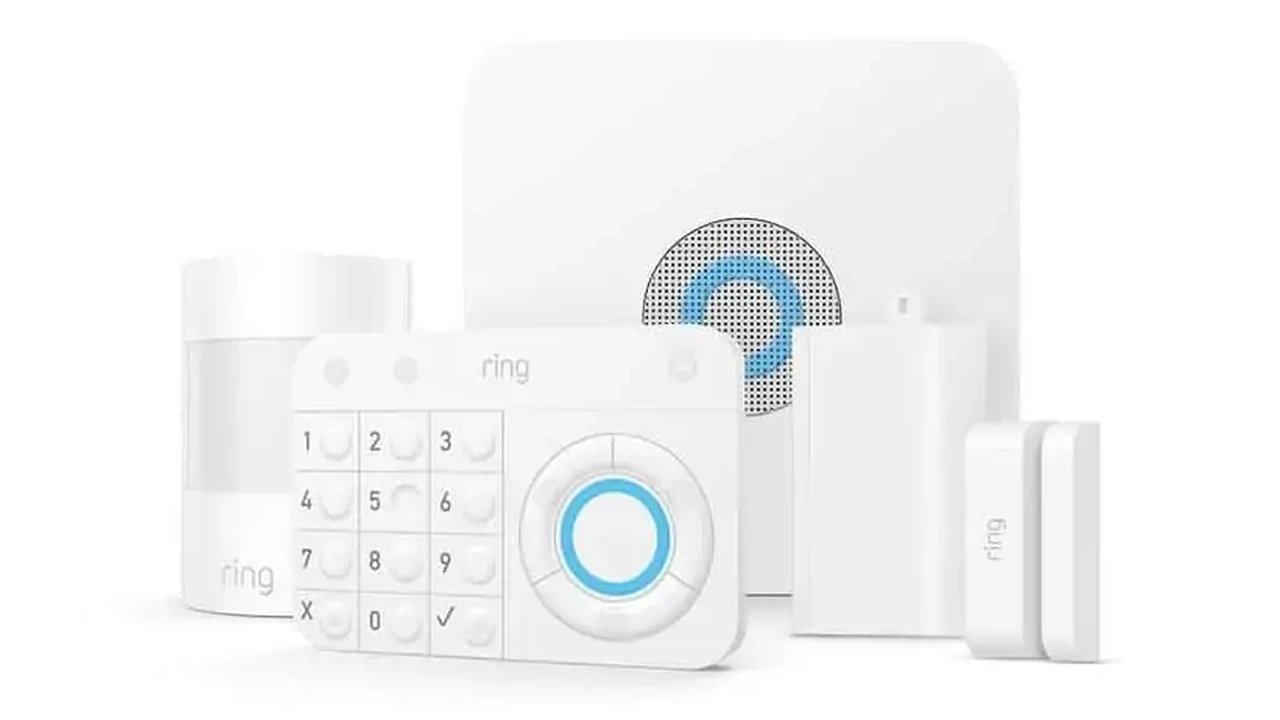
Explore smart home security systems that offer robust protection without the burden of recurring monthly subscription fees.
Smart Home Security Systems with No Monthly Fees
Why Choose No Monthly Fee Smart Home Security Systems? Understanding the Benefits
When you're looking to secure your home, the idea of a smart home security system often comes with the assumption of ongoing costs. Many popular systems, while offering excellent features, tie you into monthly subscriptions for professional monitoring, cloud storage, or advanced functionalities. However, a growing segment of the market offers robust protection without these recurring fees. This is a game-changer for many homeowners, especially those in the US and Southeast Asia, who want control over their security without the long-term financial commitment.
The primary appeal of no-monthly-fee systems is, of course, the cost savings. Over several years, subscription fees can add up significantly, sometimes even surpassing the initial hardware investment. By opting for a system without these fees, you're essentially paying once for the equipment and then enjoying free, self-monitored security. This doesn't mean sacrificing quality or features. Many of these systems still offer high-definition video, motion detection, two-way audio, and smart home integration. The key difference is often in who responds to alerts – you, rather than a professional monitoring center.
Another significant benefit is flexibility and control. With a self-monitored system, you're in charge. You receive alerts directly on your smartphone, decide how to respond, and manage your video recordings. This level of autonomy is particularly attractive to tech-savvy users or those who prefer to handle their own security. It also means you're not locked into a contract, giving you the freedom to upgrade or change components as your needs evolve.
For residents in Southeast Asia, where professional monitoring services might be less prevalent or more expensive in certain regions, no-monthly-fee systems offer an accessible and effective security solution. They empower homeowners to take an active role in protecting their property, often leveraging existing internet infrastructure and readily available smartphone technology.
Key Features to Look for in No Monthly Fee Security Systems: Maximizing Your Investment
Just because you're avoiding monthly fees doesn't mean you should compromise on essential security features. When evaluating systems, prioritize these core functionalities:
High-Definition Cameras and Video Storage Options
Clear video footage is paramount. Look for cameras that offer at least 1080p resolution, and ideally 2K or 4K for superior detail. Consider features like wide-angle lenses, night vision (infrared or color night vision), and HDR for better image quality in varying light conditions. For storage, local options are key to avoiding fees. This includes microSD card slots in cameras or a central hub with a hard drive. Some systems offer a limited amount of free cloud storage, which can be a nice bonus, but ensure local storage is available as a primary option.
Reliable Motion Detection and Smart Alerts
Effective motion detection is crucial for timely alerts. Look for systems that offer customizable motion zones to reduce false alarms from pets or passing cars. Advanced features like AI-powered person detection, vehicle detection, and package detection can further refine alerts, ensuring you're only notified about what truly matters. Notifications should be instant and delivered directly to your smartphone via the system's app.
Two-Way Audio Communication for Enhanced Interaction
Two-way audio allows you to speak to visitors or deter intruders remotely. This is incredibly useful for answering the door when you're not home, communicating with delivery drivers, or even checking in on pets. Ensure the audio quality is clear and the microphone sensitivity is good.
Seamless Smart Home Integration and Ecosystem Compatibility
For a truly 'smart' home security experience, look for systems that integrate with popular smart home platforms like Amazon Alexa, Google Assistant, or Apple HomeKit. This allows you to control your security system with voice commands, create automation routines (e.g., lights turn on when motion is detected), and view camera feeds on smart displays. Compatibility with other smart devices you own can significantly enhance convenience and functionality.
Easy DIY Installation and User-Friendly App Interface
Since you're likely self-monitoring, ease of installation is important. Most no-monthly-fee systems are designed for DIY setup, often involving wireless components and straightforward app-guided instructions. A user-friendly mobile app is equally vital, providing intuitive control over your system, live viewing, event playback, and settings adjustments.
Local Storage vs. Free Cloud Storage: Understanding Your Options
This is a critical distinction for no-monthly-fee systems. Local storage, typically via a microSD card in the camera or a hard drive in a base station, means your footage is stored directly on your property. This offers maximum privacy and avoids ongoing costs. Free cloud storage, if offered, usually comes with limitations – perhaps a short retention period (e.g., 24 hours) or a small storage capacity. While convenient for quick access, it shouldn't be your sole storage solution if you want long-term, fee-free video archives.
Top No Monthly Fee Smart Home Security Systems: Product Recommendations and Comparisons
Let's dive into some of the best options available that allow you to secure your home without the burden of monthly fees. We'll compare their features, ideal use cases, and approximate pricing.
1. Eufy Security Systems: Comprehensive Protection with Local Storage
Eufy, a brand under Anker Innovations, has become a strong contender in the no-monthly-fee security space. Their systems are known for excellent video quality, robust local storage, and AI-powered features.
- Key Features: Eufy offers a range of cameras (indoor, outdoor, doorbell) that connect to a central HomeBase. The HomeBase typically includes 16GB of built-in eMMC storage, expandable via USB for some models. Cameras boast 2K or 1080p resolution, color night vision, and advanced AI detection (person, pet, vehicle). Battery life on wireless cameras is impressive, often lasting up to 6 months on a single charge.
- Recommended Products:
- EufyCam 3 (S330): This flagship system includes a HomeBase 3 and 2-4 4K cameras. It features BionicMind AI for facial recognition and self-learning capabilities. The HomeBase 3 supports up to 16TB of expandable storage via an HDD/SSD.
- EufyCam 2 Pro: A popular 2K wireless camera system with a HomeBase 2, offering 16GB local storage and 365-day battery life.
- Eufy Video Doorbell Dual: Features two cameras for head-to-toe and package viewing, with local storage to the HomeBase.
- Use Cases: Ideal for homeowners who want high-resolution video, long battery life, and extensive local storage without any subscription. Great for both indoor and outdoor monitoring, and for those who value advanced AI features like facial recognition.
- Pricing (Approximate):
- EufyCam 3 (2-camera kit with HomeBase 3): $450 - $550 USD
- EufyCam 2 Pro (2-camera kit with HomeBase 2): $300 - $400 USD
- Eufy Video Doorbell Dual: $200 - $250 USD
- Pros: Excellent video quality, long battery life, robust local storage, advanced AI, no monthly fees, good smart home integration.
- Cons: Initial investment can be higher, HomeBase is required for most systems, some advanced features might require a subscription for extended cloud backup (optional).
2. Arlo Essential Series: Flexible Wireless Security with Free Basic Cloud
Arlo is well-known for its premium wireless cameras, and while many of its advanced features are tied to a subscription, their Essential series offers a compelling no-monthly-fee option with free basic cloud storage.
- Key Features: Arlo Essential cameras typically offer 1080p video, color night vision, integrated spotlight, and a siren. They connect directly to Wi-Fi, eliminating the need for a separate hub. Crucially, they offer 7 days of free rolling cloud storage for motion-triggered recordings, which is a significant advantage for a no-fee system. Local storage is available if paired with an Arlo SmartHub (sold separately).
- Recommended Products:
- Arlo Essential Spotlight Camera: A versatile outdoor/indoor camera with 1080p video, spotlight, siren, and 7 days of free cloud storage.
- Arlo Essential Video Doorbell Wired: Offers 1080p HDR video, wide viewing angle, and 7 days of free cloud storage.
- Use Cases: Perfect for users who want the convenience of wireless cameras, a decent amount of free cloud storage, and the flexibility to expand with other Arlo devices. Good for renters or those who prefer not to deal with local storage management.
- Pricing (Approximate):
- Arlo Essential Spotlight Camera: $100 - $130 USD per camera
- Arlo Essential Video Doorbell Wired: $130 - $150 USD
- Pros: 7 days of free cloud storage, completely wireless setup (for battery cameras), integrated spotlight and siren, good app experience.
- Cons: No local storage without a separate SmartHub, advanced features like person detection require a subscription, battery life is good but not as long as Eufy.
3. Reolink Security Systems: Robust Local Storage and NVR Options
Reolink specializes in security cameras and NVR (Network Video Recorder) systems, offering a strong focus on local storage and reliable performance without mandatory subscriptions.
- Key Features: Reolink offers a vast array of cameras, including wired PoE (Power over Ethernet), wireless, and battery-powered options, often with 4K resolution. Most cameras support microSD card storage. For more extensive coverage, Reolink NVRs allow for continuous 24/7 recording from multiple cameras to a large hard drive, providing a professional-grade local storage solution. Many cameras feature smart detection (person/vehicle) and two-way audio.
- Recommended Products:
- Reolink Argus 3 Pro: A popular battery-powered wireless camera with 2K resolution, spotlight, and local microSD storage.
- Reolink RLC-810A: A 4K PoE camera with smart person/vehicle detection, ideal for wired installations and NVR integration.
- Reolink RLK8-800B4 NVR Kit: A comprehensive 4K NVR system with 4 PoE cameras and a pre-installed hard drive for 24/7 recording.
- Use Cases: Excellent for users who prioritize continuous 24/7 recording, extensive local storage, and a more robust, often wired, security setup. Ideal for larger homes or small businesses that want a professional feel without the recurring costs.
- Pricing (Approximate):
- Reolink Argus 3 Pro: $100 - $120 USD per camera
- Reolink RLC-810A: $70 - $90 USD per camera
- Reolink RLK8-800B4 NVR Kit: $450 - $550 USD
- Pros: Wide range of camera types, excellent 4K resolution options, robust local storage via NVRs or microSD, reliable performance, no monthly fees.
- Cons: NVR systems can be more complex to install than simple wireless cameras, some advanced cloud features are subscription-based (optional).
4. Wyze Cam Series: Budget-Friendly Smart Security
Wyze has carved out a niche for itself by offering incredibly affordable smart home devices, including security cameras, with a strong emphasis on no-monthly-fee functionality.
- Key Features: Wyze Cams (like the Wyze Cam v3) offer 1080p HD video, color night vision, and local storage via a microSD card slot. They also provide 12 seconds of free cloud storage for motion-triggered events, with a 5-minute cooldown period. Two-way audio and smart sound detection (e.g., smoke alarm, CO alarm) are standard.
- Recommended Products:
- Wyze Cam v3: A versatile indoor/outdoor camera with excellent features for its price point.
- Wyze Cam Pan v2: Offers pan and tilt functionality for wider coverage, with similar features to the v3.
- Wyze Video Doorbell Pro: A wireless doorbell with 1440p video and local storage.
- Use Cases: Perfect for budget-conscious consumers, renters, or those looking to add basic smart security to specific areas without a significant investment. Great for monitoring pets, children, or general home activity.
- Pricing (Approximate):
- Wyze Cam v3: $30 - $40 USD per camera
- Wyze Cam Pan v2: $40 - $50 USD per camera
- Wyze Video Doorbell Pro: $80 - $100 USD
- Pros: Extremely affordable, good video quality for the price, local storage, free basic cloud storage, wide range of smart home integrations.
- Cons: Free cloud storage is limited (12 seconds, 5-minute cooldown), some advanced features (like continuous recording to cloud) require a subscription (Cam Plus), not as robust for large-scale security as other options.
Setting Up Your No Monthly Fee Smart Home Security System: A DIY Guide
One of the biggest advantages of these systems is their DIY-friendly nature. Here's a general guide to getting started:
Planning Your Security Coverage: Strategic Placement of Devices
Before you even unbox your system, walk around your home and identify key areas. Think about entry points (doors, windows), high-traffic areas, and valuable possessions. For outdoor cameras, consider angles that cover your yard, driveway, and main entrances. Ensure cameras are placed high enough to deter tampering but low enough to capture clear facial features. For indoor cameras, consider common areas like living rooms or hallways. Don't forget about blind spots!
Installation Steps for Cameras and Sensors: From Unboxing to Activation
Most systems follow a similar installation process:
- Charge Batteries (if wireless): For battery-powered cameras, ensure they are fully charged before installation.
- Download the App: Install the manufacturer's app on your smartphone. This will be your control center.
- Create an Account: Follow the in-app instructions to create your user account.
- Add Devices: The app will guide you through adding each camera or sensor. This usually involves scanning a QR code on the device or pressing a sync button.
- Mount Devices: Use the provided mounting hardware to secure cameras and sensors in their planned locations. For wireless cameras, test the Wi-Fi signal strength before final mounting.
- Configure Settings: Adjust motion detection sensitivity, set up motion zones, enable two-way audio, and configure notification preferences within the app.
- Insert Local Storage: If your system uses microSD cards, insert them into the cameras or base station.
Configuring Notifications and Smart Home Integrations: Staying Connected
Once your devices are installed, fine-tune your notification settings. Decide which types of alerts you want to receive and how (push notifications, email). Explore smart home integrations within the app. Link your security system to Alexa or Google Assistant to enable voice commands or create automation routines. For example, you might set up a routine where your smart lights turn on if a camera detects motion at night.
Testing Your System: Ensuring Optimal Performance
After setup, thoroughly test your system. Walk in front of cameras to trigger motion detection, open and close doors with contact sensors, and test the two-way audio. Check the live feed from all cameras to ensure clear views. Review recorded footage to confirm it's being stored correctly, either locally or in the cloud. This testing phase is crucial to ensure everything is working as expected before relying on it for security.
Maximizing Security Without Monthly Fees: Advanced Tips and Tricks
Going fee-free doesn't mean you can't have a sophisticated security setup. Here's how to get the most out of your system:
Leveraging Local Storage for Privacy and Cost Savings
Always prioritize local storage. Invest in high-quality, high-endurance microSD cards for your cameras or a reliable hard drive for your NVR. Regularly check that your local storage is functioning correctly and that footage is being recorded. This keeps your data private and eliminates any cloud storage fees.
Integrating with Other Smart Home Devices for Enhanced Automation
Think beyond just security. Connect your cameras to smart lights that turn on when motion is detected, or to a smart siren that activates if an intruder is spotted. Use smart plugs to control other devices based on security events. This creates a more proactive and integrated security ecosystem.
Utilizing AI Features for Smarter Alerts and Fewer False Alarms
If your system offers AI features like person, vehicle, or pet detection, make sure they are enabled and configured correctly. This significantly reduces false alarms from swaying branches or passing animals, ensuring you only get notified about genuine threats. Some systems even offer facial recognition, allowing you to know who is at your door.
Regular Maintenance and Firmware Updates: Keeping Your System Optimal
Like any tech device, your security system needs regular attention. Keep your camera lenses clean, especially outdoor ones. Check battery levels on wireless devices. Most importantly, regularly update your system's firmware. Manufacturers frequently release updates that improve performance, add new features, and patch security vulnerabilities. This is crucial for maintaining optimal security and functionality.
Backup Power Solutions for Uninterrupted Surveillance
A security system is only as good as its power supply. Consider investing in a UPS (Uninterruptible Power Supply) for your Wi-Fi router, modem, and any wired security hubs or NVRs. This ensures your system remains operational during power outages, providing continuous monitoring and recording when you need it most. For battery-powered cameras, ensure they are fully charged and consider having spare batteries if applicable.
Common Questions About No Monthly Fee Security Systems: Your Concerns Addressed
What happens if my internet goes down?
This is a common concern. For most no-monthly-fee systems, if your internet goes down, you will lose the ability to receive remote notifications, view live feeds remotely, and access cloud storage (if applicable). However, cameras with local storage (microSD cards or NVRs) will typically continue to record footage locally. Once your internet connection is restored, you should be able to access the recorded footage and resume remote monitoring. For critical areas, consider systems with cellular backup options (though these often come with a fee) or ensure your local storage is robust.
How secure is my data with local storage?
Local storage is generally considered more private than cloud storage because your footage never leaves your property. However, it's still important to secure your home network with a strong Wi-Fi password and keep your router's firmware updated. If an intruder gains physical access to your camera or NVR, they could potentially remove the storage device. For this reason, placing cameras in less accessible locations and securing your NVR in a locked cabinet is advisable.
Can I still get professional monitoring if I change my mind?
Some no-monthly-fee systems offer optional professional monitoring plans as an add-on. For example, Arlo offers Arlo Secure plans, and Wyze has Cam Plus. These plans typically unlock additional features like extended cloud storage, person detection, and sometimes professional monitoring. If you decide you want the added peace of mind of professional monitoring, check if your chosen system offers this flexibility. This allows you to start fee-free and upgrade if your needs change.
Are these systems reliable for serious security?
Absolutely. Modern no-monthly-fee systems from reputable brands are highly reliable. The key difference is who responds to alerts. If you're comfortable being the primary responder (e.g., checking your phone, calling emergency services), then these systems offer excellent security. They provide the same high-quality video, motion detection, and smart alerts as many subscription-based systems. For many homeowners, the combination of robust hardware, local storage, and self-monitoring is more than sufficient for serious home security.
What about battery life for wireless cameras?
Battery life varies significantly between models and depends heavily on usage (e.g., number of motion events, live view frequency, temperature). Some cameras, like EufyCam 3, boast up to a year of battery life, while others might require recharging every few months. Always check the manufacturer's specifications and user reviews for realistic battery life expectations. For high-traffic areas, consider wired cameras or those with solar panel accessories to reduce charging frequency.
:max_bytes(150000):strip_icc()/277019-baked-pork-chops-with-cream-of-mushroom-soup-DDMFS-beauty-4x3-BG-7505-5762b731cf30447d9cbbbbbf387beafa.jpg)