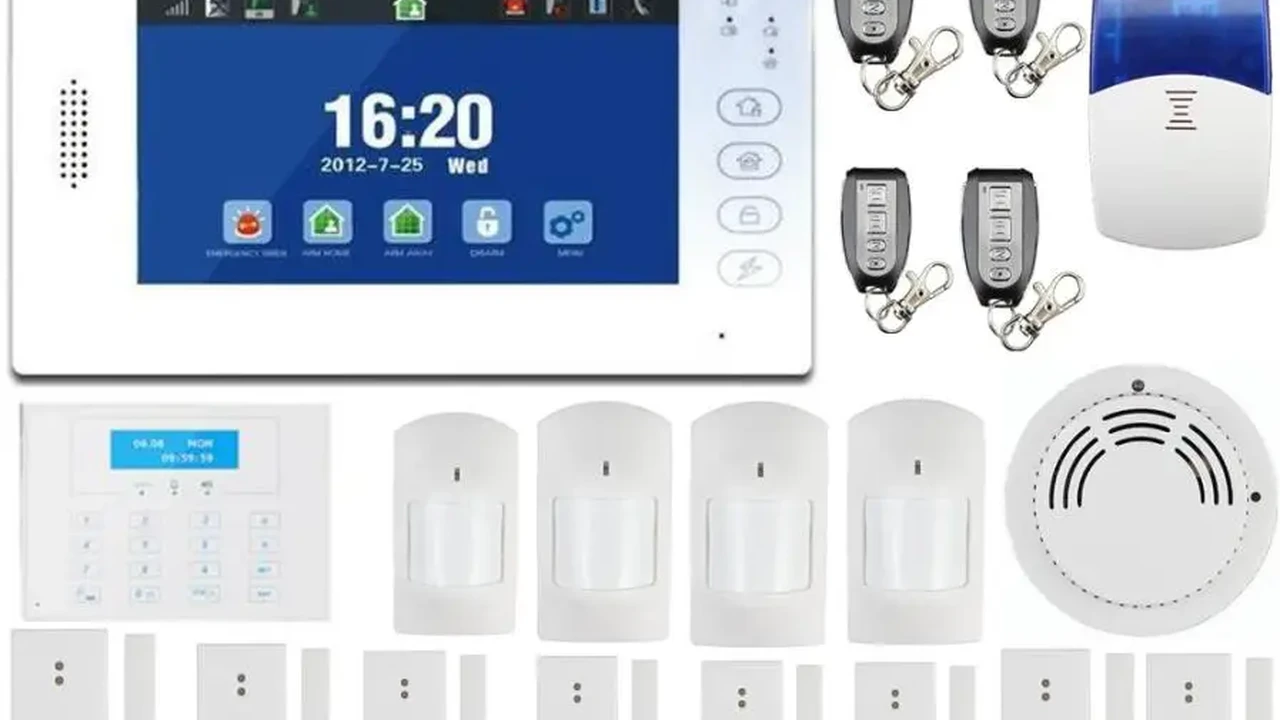
How to Prevent False Alarms with Your Security System
Learn effective strategies to minimize false alarms from your home security system and ensure reliable alerts.
Learn effective strategies to minimize false alarms from your home security system and ensure reliable alerts.
How to Prevent False Alarms with Your Security System
False alarms can be a real headache, right? Not only are they annoying, but they can also lead to fines from local authorities and, even worse, desensitize you and your neighbors to actual emergencies. When your security system constantly cries wolf, people start ignoring it, which defeats the whole purpose of having one. Nobody wants to be that house on the block where the alarm goes off every other day. It’s not just about the noise; it’s about the trust and effectiveness of your security setup. So, let's dive into how we can keep those false alarms at bay and make sure your security system is always working for you, not against you.
Understanding Common Causes of False Alarms in Home Security Systems
Before we can fix the problem, we need to understand what’s causing it. False alarms aren't usually random; they often stem from a few common culprits. Knowing these can help you pinpoint the issue with your own system. Think of it like being a detective for your home security!
User Error and Improper System Operation
Let's be honest, sometimes it's us! Forgetting to disarm the system before opening a door, entering the wrong code too many times, or not understanding how to properly arm and disarm different zones can all trigger an alarm. It’s easy to do, especially if you’re new to a system or in a hurry. This is why user training is super important. Make sure everyone in your household who uses the system knows the ropes. A quick refresher course for the family can save a lot of headaches.
Faulty or Malfunctioning Security Equipment
Even the best equipment can sometimes go rogue. A sensor that’s on the fritz, a loose wire, or a battery that’s about to die can all send incorrect signals to your control panel. This is where regular maintenance comes in. Just like your car, your security system needs a check-up now and then to ensure all its components are working as they should. Don't wait for an alarm to tell you something's wrong.
Environmental Factors and External Influences on Security Sensors
Nature and the elements can be surprisingly disruptive. Strong winds rattling a window, a tree branch brushing against an outdoor motion sensor, or even a sudden change in temperature can trick sensors into thinking there's an intruder. Animals, both pets and wildlife, are also big offenders. A curious cat jumping onto a shelf or a squirrel scurrying across your porch can set off motion detectors. Even dust and cobwebs can interfere with sensor performance. It’s all about placement and sensitivity settings here.
Best Practices for Minimizing False Alarms with Your Security System
Okay, so we know what causes them. Now, how do we stop them? It’s a mix of smart setup, regular checks, and a bit of common sense.
Proper Installation and Placement of Security Sensors
This is foundational. If your sensors aren't installed correctly, you're setting yourself up for trouble. For motion sensors, avoid pointing them directly at windows, heat sources like vents or radiators, or areas where pets frequently roam. Door and window sensors need to be perfectly aligned. If there's a gap, they might not register as closed, or they might trigger with a slight breeze. Always follow the manufacturer's instructions to the letter, or better yet, have a professional handle the installation. They know all the tricks and best spots.
Regular Maintenance and Testing of Your Security System
Think of your security system like a smoke detector – you test it regularly, right? Do the same for your alarm. Test all your sensors periodically. Check battery levels in wireless sensors and replace them before they die. Clean motion sensors to remove dust and cobwebs that can obstruct their view. If you have a professional monitoring service, they often offer maintenance plans, which can be a great investment. It’s much better to find a problem during a test than during an actual emergency.
Educating All Users on Proper System Operation
This goes back to user error. Make sure everyone who has access to the system knows how to use it. This includes arming, disarming, bypassing zones, and what to do if an alarm does go off. Practice makes perfect! Consider creating a simple cheat sheet with codes and instructions near the control panel. The more comfortable everyone is with the system, the less likely they are to make mistakes.
Adjusting Sensor Sensitivity and Pet Immunity Features
Many modern motion sensors come with adjustable sensitivity settings. If you have pets, look for sensors with 'pet immunity' features. These are designed to ignore movement from animals below a certain weight or size. However, even with pet immunity, placement is key. Don't put a pet-immune sensor where your 50-pound dog can jump onto a couch directly in front of it. Experiment with settings to find the sweet spot where it detects humans but ignores your furry friends.
Advanced Strategies for Preventing False Alarms
Beyond the basics, there are some more advanced steps you can take, especially with today's smart security systems.
Utilizing Smart Home Integration and Automation Rules
If your security system integrates with your smart home platform (like Alexa, Google Home, or Apple HomeKit), you can create automation rules that help prevent false alarms. For example, you could set lights to turn on when a motion sensor is triggered, which might deter an actual intruder without immediately setting off the full alarm. Or, if you have smart locks, you could set a rule that disarms the system when a specific user unlocks the door. This adds layers of intelligence to your security.
Implementing Video Verification for Alarm Events
This is a game-changer. Many modern security systems integrate with security cameras. When an alarm is triggered, the system can automatically start recording or send live video feeds to you and your monitoring center. This allows you or the monitoring service to quickly verify if it's a real threat or just a false alarm. This not only reduces false alarm dispatches but also speeds up response times for genuine emergencies. Some systems even allow the monitoring center to 'look in' on your property when an alarm is triggered, with your permission, of course.
Considering Professional Monitoring Services with Enhanced Verification
Professional monitoring services often have protocols in place to reduce false alarms. They might call you first to verify an alarm before dispatching authorities. Some even offer advanced verification services, where they use audio or video feeds to confirm an intrusion. This can save you from fines and ensure that emergency services are only dispatched when truly needed. It's like having an extra set of eyes and ears on your property, backed by trained professionals.
Recommended Products and Solutions for False Alarm Prevention
Let's talk about some specific products that can help you in your quest for a false-alarm-free home.
Motion Sensors with Pet Immunity and Adjustable Sensitivity
These are your best friends if you have pets. Look for models that clearly state 'pet immune' and offer adjustable sensitivity. Here are a few examples:
- Honeywell Home PROSIXCT Motion Detector: This is a professional-grade sensor often used with Honeywell's ProSeries panels. It offers excellent pet immunity (up to 80 lbs) and has adjustable sensitivity. It's reliable and designed to minimize false triggers. You'd typically get this through a professional installer, and the sensor itself might cost around $70-$100, not including installation. It's great for larger homes with active pets.
- DSC PG9910 Motion Detector: Compatible with PowerG systems, this sensor also boasts robust pet immunity (up to 85 lbs) and advanced detection algorithms to differentiate between pets and intruders. It's known for its reliability and long battery life. Expect to pay around $80-$120 for the sensor. Ideal for comprehensive security systems where reliability is paramount.
- Ring Alarm Motion Detector (2nd Gen): For DIY enthusiasts, Ring's motion detector offers adjustable sensitivity and pet immunity settings within the Ring app. It's easy to install and integrates seamlessly with the Ring ecosystem. Priced around $30-$40, it's a budget-friendly option for smaller homes or apartments with pets.
Door and Window Sensors with Tamper Detection and Secure Mounting
These are crucial for perimeter security. Look for sensors that are easy to install securely and have tamper detection, meaning they'll alert you if someone tries to remove or disable them.
- Qolsys IQ Panel 2+ Door/Window Sensor (QS1135-840): These are slim, discreet, and offer excellent performance with the Qolsys IQ Panel. They are designed for secure mounting and have tamper detection. They typically cost around $25-$35 each. Perfect for modern smart homes looking for sleek integration.
- Alarm.com DW10-345 Door/Window Sensor: A very common and reliable sensor used with Alarm.com compatible systems. It's easy to install and provides consistent performance. Expect to pay around $20-$30 per sensor. A solid choice for most standard home security setups.
- Simplisafe Entry Sensor: Simplisafe's sensors are known for their ease of installation and reliability. They are designed to be user-friendly for DIY setups and integrate perfectly with the Simplisafe system. They cost about $15-$20 each. Great for renters or those who want a simple, effective DIY solution.
Security Cameras with Smart Detection and AI Capabilities
These cameras can significantly reduce false alarms by intelligently identifying what's causing motion. Look for features like person detection, vehicle detection, and activity zones.
- Arlo Pro 4 Spotlight Camera: This camera offers 2K HDR video, color night vision, and advanced object detection (person, vehicle, animal) with an Arlo Secure subscription. You can define activity zones to only get alerts for specific areas. A single camera costs around $180-$200. Ideal for outdoor monitoring where precise detection is needed.
- Google Nest Cam (battery): With built-in intelligence, the Nest Cam can differentiate between people, animals, and vehicles without a subscription (though a Nest Aware subscription unlocks more features). It's battery-powered, making placement flexible. Priced around $180-$200. Excellent for those already in the Google ecosystem or wanting smart, wire-free options.
- Ring Stick Up Cam Battery: Another great DIY option, the Ring Stick Up Cam offers 1080p video, two-way talk, and customizable motion detection zones. With a Ring Protect plan, you get person detection. It's around $100-$120. A versatile camera for both indoor and outdoor use within the Ring ecosystem.
Control Panels with Advanced Features and User-Friendly Interfaces
The control panel is the brain of your system. A good one can make a huge difference in preventing false alarms through better user experience and advanced settings.
- Qolsys IQ Panel 4: This all-in-one panel is a powerhouse. It features a 7-inch touchscreen, built-in camera, Glass Break Detector, and integrates with a wide range of smart home devices. Its user-friendly interface makes arming/disarming and managing zones straightforward, reducing user error. It also supports video verification. The panel itself can range from $400-$600, often sold through professional installers. Best for comprehensive smart home security.
- Honeywell Home PROA7PLUS: Another top-tier professional panel, the PROA7PLUS offers a sleek touchscreen, robust security features, and extensive smart home integration. Its intuitive interface helps prevent accidental triggers. Like the Qolsys, it's typically installed professionally and the panel alone might be $350-$550. Great for those seeking a high-end, professionally installed system.
- SimpliSafe Base Station and Keypad: For the DIY market, SimpliSafe offers a very user-friendly experience. The keypad is simple to operate, and the system is designed for ease of use, minimizing the chances of user error. The starter kits range from $200-$500 depending on the number of sensors. An excellent choice for straightforward, self-installed security.
Real-World Scenarios and Troubleshooting Tips for False Alarms
Let's look at some common situations and how to handle them.
Pets Triggering Motion Sensors
This is probably the most common false alarm culprit. If your pet is setting off the motion sensor, first, check if your sensor has pet immunity and if it's enabled. If it does, try adjusting the sensitivity down. If not, or if your pet is particularly large or active, consider relocating the sensor to a higher position where your pet's movement won't be detected, or point it away from areas where they jump or climb. Alternatively, use door/window sensors and glass break detectors as your primary interior protection and only use motion sensors in areas inaccessible to pets, or when pets are not home.
Windows or Doors Not Fully Closed or Secured
A slightly ajar window or a door that isn't latched properly can cause contact sensors to trigger, especially with wind. Always double-check that all entry points are fully closed before arming your system. If a sensor repeatedly triggers even when the door/window seems closed, check the alignment of the two sensor parts. They might have shifted. You might need to re-mount one of the pieces to ensure they are perfectly aligned when the door/window is shut.
Environmental Disturbances Wind Rain or Extreme Temperatures
Outdoor sensors are particularly susceptible to this. If wind is causing tree branches to trigger an outdoor motion sensor, trim the branches. If heavy rain or snow is causing issues, ensure the sensor is properly shielded or consider a different type of outdoor detection, like a beam sensor. For indoor sensors, make sure they aren't placed near drafty windows or heating/cooling vents that can cause sudden temperature changes or air movement. Sometimes, even direct sunlight hitting a sensor can cause issues.
Power Outages and Internet Connectivity Issues
While not directly causing a false alarm, these can disrupt your system's communication, leading to 'trouble' alerts or preventing you from disarming the system remotely. Ensure your system has a reliable cellular backup (most professional systems do) and a battery backup for the main panel. If you rely on Wi-Fi, consider a mesh Wi-Fi system for better coverage and stability. Regularly check your internet connection and router. A UPS (Uninterruptible Power Supply) for your router and modem can also keep your internet running during short power flickers.
Working with Your Security Provider to Reduce False Alarms
If you have a professionally monitored system, your provider is a valuable resource.
Understanding Your Monitoring Agreement and False Alarm Policies
Every monitoring agreement will have a section on false alarms, including potential fines from local authorities. Make sure you understand these policies. Some providers offer a 'grace period' for new installations to work out kinks. Knowing your agreement helps you avoid unexpected charges.
Communicating Regularly with Your Security Company
Don't hesitate to call your security company if you're experiencing frequent false alarms. They can often diagnose issues remotely, adjust sensor settings, or schedule a technician visit. They want your system to work correctly just as much as you do, as false dispatches cost them time and resources too. Be proactive in reporting problems.
Utilizing Remote Access and System Management Tools
Most modern security systems come with a mobile app that allows you to arm/disarm, check sensor status, and even view camera feeds remotely. Use these tools! If you get an alert, you can often quickly check your cameras to see if it's a false alarm before calling the monitoring center. This remote access is a powerful tool for managing your system and preventing unnecessary dispatches.
So, there you have it! Preventing false alarms is totally doable with a bit of attention to detail, proper setup, and smart use of technology. By following these tips, you can ensure your home security system is a reliable guardian, not a constant source of frustration. Stay safe out there!
:max_bytes(150000):strip_icc()/277019-baked-pork-chops-with-cream-of-mushroom-soup-DDMFS-beauty-4x3-BG-7505-5762b731cf30447d9cbbbbbf387beafa.jpg)