Integrating Smart Locks with Your Security System
Learn how to seamlessly integrate smart locks with your existing smart home security system for enhanced access control.
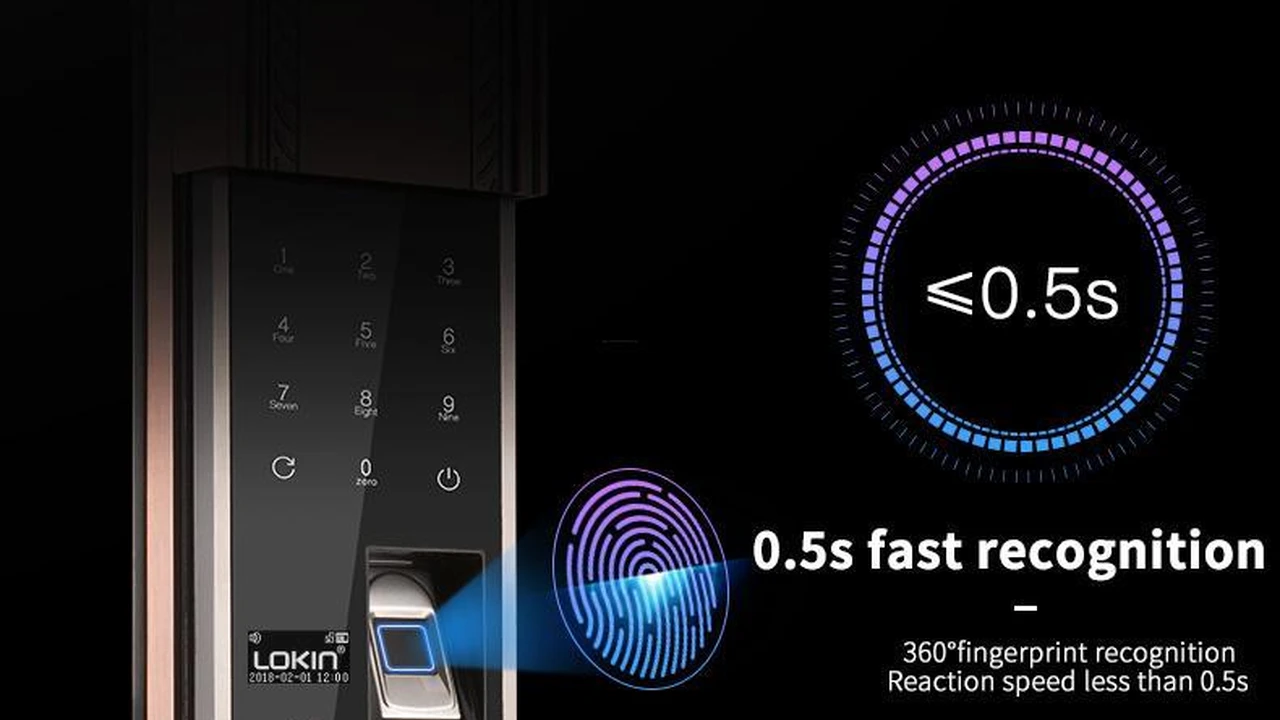
Learn how to seamlessly integrate smart locks with your existing smart home security system for enhanced access control. This guide will walk you through the benefits, compatibility, popular brands, and installation tips to create a truly smart and secure home.
Integrating Smart Locks with Your Security System
Hey there, security-conscious homeowner! Ever thought about how much easier life would be if your front door could talk to your alarm system? Well, that's exactly what we're diving into today: integrating smart locks with your existing smart home security system. It's not just about convenience; it's about creating a truly seamless and robust security perimeter for your home. We're talking enhanced access control, smarter automation, and ultimately, a whole lot more peace of mind. Let's unlock the potential of a connected home!
Why Integrate Smart Locks with Your Smart Home Security System? The Benefits of a Unified Approach
So, why bother connecting your smart lock to your security system? It's a fair question, and the answer boils down to a few key advantages that elevate your home security from good to great. Think of it like this: instead of having separate guards for different parts of your castle, you have one central command center that coordinates everything. This unified approach brings a ton of benefits to the table.
Enhanced Security and Access Control with Integrated Smart Locks
First off, let's talk about security. When your smart lock is integrated, it becomes another intelligent sensor in your security network. Imagine this: your security system detects an unauthorized entry attempt. Instead of just sounding an alarm, it can also trigger your smart lock to automatically re-lock, or even notify you if the door was left unlocked when you armed the system. This proactive approach significantly boosts your home's defense. You get real-time alerts not just about who's coming and going, but also about the status of your entry points. Plus, with remote access, you can lock or unlock your doors from anywhere, which is super handy if you need to let a trusted friend in or if you just can't remember if you locked up before leaving for vacation.
Convenience and Automation through Smart Lock Integration
Beyond security, the convenience factor is huge. Picture this: you arrive home, and as your car pulls into the driveway, your smart lock automatically unlocks, your lights turn on, and your security system disarms. This is the magic of automation. When your smart lock is part of a larger ecosystem, you can create custom routines and scenes that simplify your daily life. No more fumbling for keys in the dark! You can also grant temporary access codes to visitors, dog walkers, or service providers, and then revoke them just as easily. This level of control and automation makes your home not just safer, but also smarter and more responsive to your needs.
Streamlined Management and Monitoring of Smart Locks and Security
Finally, integration means streamlined management. Instead of juggling multiple apps for your lock and your security system, you can often control everything from a single interface. This central hub provides a holistic view of your home's security status, making it easier to monitor activity, review event logs, and adjust settings. Troubleshooting becomes simpler, and you have a clearer picture of what's happening at all times. It's about simplifying your smart home experience while maximizing its protective capabilities.
Compatibility is Key: Ensuring Your Smart Lock Works with Your Security System
Alright, so you're sold on the idea of integration. But before you go buying the first shiny smart lock you see, you need to make sure it plays nicely with your existing security system. Compatibility is absolutely crucial here. It's like trying to connect a PlayStation controller to an Xbox – it just won't work without the right adapters or, in this case, the right communication protocols.
Understanding Communication Protocols for Smart Locks and Security Systems
The backbone of smart home device communication lies in their protocols. These are the languages they speak to each other. The most common ones you'll encounter in the smart home security world are Z-Wave, Zigbee, and Wi-Fi. Some systems also use proprietary protocols, which can limit compatibility to devices from the same brand.
- Z-Wave: This is a very popular choice for smart home security devices, including smart locks. Z-Wave creates a mesh network, meaning devices can relay signals to each other, extending the range and reliability of your network. Many security systems, like those from Ring Alarm Pro, Abode, and SimpliSafe (with their Z-Wave module), are Z-Wave compatible.
- Zigbee: Similar to Z-Wave, Zigbee also uses a mesh network and is known for its low power consumption. It's often found in smart lighting and some security sensors. While less common for primary smart locks than Z-Wave, some systems and hubs support Zigbee.
- Wi-Fi: Many standalone smart locks connect directly to your home's Wi-Fi network. While convenient for direct control, Wi-Fi devices can sometimes consume more battery power and might not integrate as seamlessly with security systems that primarily rely on Z-Wave or Zigbee without a central hub.
- Proprietary Protocols: Some brands, like August or Yale (with their specific modules), might use their own communication methods or require their own bridge/hub to connect to other systems. Always check the specifications!
Checking Your Security System's Compatibility with Smart Locks
The easiest way to check compatibility is to look at your security system's specifications or user manual. Most modern smart security systems will explicitly state which communication protocols they support. For example, if you have a Ring Alarm Pro, it has a built-in Z-Wave hub, making it compatible with a wide range of Z-Wave smart locks. If you have a system like ADT or Vivint, they often have a curated list of compatible smart locks that are guaranteed to work with their ecosystem.
If your security system doesn't have a built-in hub for Z-Wave or Zigbee, you might need a separate smart home hub (like a SmartThings hub or Hubitat) that can bridge the gap between your smart lock and your security system. Some security systems, especially those that are more DIY-focused, might offer add-on modules to enable Z-Wave or Zigbee compatibility.
Pro Tip: Always check the manufacturer's compatibility list for both your security system and the smart lock you're considering. Don't assume! A quick search on their support pages or a call to customer service can save you a lot of headaches.
Top Smart Lock Brands for Seamless Security System Integration
Now that we've covered compatibility, let's talk about some of the leading smart lock brands that are known for their excellent integration capabilities with various security systems. These brands offer a range of features, price points, and designs, so you're sure to find something that fits your needs and aesthetic.
Schlage Smart Locks: Reliability and Integration with Z-Wave and HomeKit
Schlage is a household name in door hardware, and their smart locks live up to that reputation for reliability. They offer several popular models that are excellent for integration:
- Schlage Encode Plus: This is a fantastic option for Apple HomeKit users, offering Home Key support (unlock with your iPhone or Apple Watch). It connects directly to Wi-Fi for remote access and can integrate with HomeKit-compatible security systems.
- Schlage Connect Smart Deadbolt (Z-Wave Plus): This is arguably one of the most popular choices for integration with Z-Wave-compatible security systems like Ring Alarm, Abode, and SimpliSafe. It offers a touchscreen keypad, traditional key access, and robust security features.
Key Features: Keypad entry, traditional key override, Z-Wave Plus or Wi-Fi/HomeKit connectivity, tamper alarms, durable construction. Typical Price Range: $150 - $300 Use Case: Ideal for homeowners looking for a reliable, secure smart lock that integrates well with Z-Wave-based security systems or Apple HomeKit ecosystems. Great for main entry doors.
Yale Smart Locks: Versatility and Integration with Z-Wave, Zigbee, and August Connect
Yale offers a wide array of smart locks, often with modular designs that allow you to choose your preferred communication protocol. They are known for their sleek designs and robust security.
- Yale Assure Lock 2: This is Yale's latest offering, available in Wi-Fi, Bluetooth, Z-Wave, and Apple HomeKit versions. The Z-Wave module makes it highly compatible with many security systems. It's sleek, key-free, and offers a touchscreen keypad.
- Yale Assure Lock SL (Key Free Touchscreen Deadbolt): This model is popular for its modern, key-free design. It often comes with Z-Wave or Zigbee modules, making it a strong contender for integration with various security systems.
Key Features: Key-free or keyed options, touchscreen keypad, Z-Wave, Zigbee, Wi-Fi, or HomeKit modules, auto-lock, privacy mode. Typical Price Range: $150 - $350 Use Case: Excellent for those who prefer a key-free aesthetic or need flexibility in communication protocols. Works well with a variety of security systems and smart home hubs.
August Smart Locks: Retrofit Convenience and Integration with Major Platforms
August takes a different approach by offering retrofit smart locks that install over your existing deadbolt's interior thumbturn. This means you can keep your original keys. They are known for their strong integration with various smart home platforms.
- August Wi-Fi Smart Lock: This is their flagship model, connecting directly to Wi-Fi. While it doesn't use Z-Wave or Zigbee directly, it integrates with Google Assistant, Amazon Alexa, Apple HomeKit, and often through these platforms, can be linked to security systems that support those integrations.
- August Smart Lock Pro + Connect: This older model uses Z-Wave Plus, making it directly compatible with Z-Wave security systems. The 'Connect' bridge provides Wi-Fi access.
Key Features: Retrofit installation (keeps existing keys), auto-unlock/lock, guest access, door sense (knows if door is open/closed), Wi-Fi or Z-Wave connectivity. Typical Price Range: $150 - $250 Use Case: Perfect for renters or those who want to retain their existing keys. Integrates well with voice assistants and smart home platforms, which can then bridge to security systems.
Kwikset Smart Locks: Affordability and Integration with Z-Wave
Kwikset offers a range of smart locks, often at a more budget-friendly price point, without sacrificing essential features. They are a solid choice for Z-Wave integration.
- Kwikset SmartCode 914 Z-Wave Plus: A very popular and reliable Z-Wave smart lock with a traditional keypad and key override. It's a workhorse for many smart home security setups.
- Kwikset Halo Wi-Fi Smart Lock: Connects directly to Wi-Fi and offers remote access. Similar to August, its integration with security systems would typically be through voice assistants or broader smart home platforms.
Key Features: Keypad entry, traditional key override, Z-Wave Plus or Wi-Fi connectivity, SmartKey re-key technology, auto-lock. Typical Price Range: $100 - $200 Use Case: A great value option for those looking for reliable Z-Wave integration with their security system without breaking the bank. Suitable for main entry doors and side doors.
Other Notable Mentions for Smart Lock Integration
- Lockly: Known for their unique PIN Genie keypad that shuffles numbers, making it harder for peepers to guess your code. Many models offer Wi-Fi connectivity and integrate with Alexa/Google Assistant.
- Level Lock: These locks are completely invisible, hiding all smart technology inside the door. They use Bluetooth and HomeKit, and some models offer Wi-Fi connectivity via a bridge.
When choosing, consider your existing security system's primary communication protocol (Z-Wave is often the safest bet for direct integration), your budget, and the features that are most important to you.
How to Integrate Smart Locks with Popular Security Systems: A Step-by-Step Guide
So you've picked out your perfect smart lock and confirmed its compatibility. Now comes the fun part: getting it all connected! The exact steps will vary slightly depending on your specific security system and smart lock, but the general process is quite similar. We'll walk through a common scenario using Z-Wave, which is widely supported.
Integrating Smart Locks with Ring Alarm Systems: A Z-Wave Pairing Example
Ring Alarm systems, especially the Ring Alarm Pro, have a built-in Z-Wave hub, making integration with Z-Wave smart locks relatively straightforward. Here's a general outline:
- Prepare Your Smart Lock: Make sure your smart lock has fresh batteries and is installed correctly on your door. It's a good idea to be near your Ring Alarm Base Station during the pairing process.
- Open the Ring App: Launch the Ring app on your smartphone or tablet.
- Navigate to Device Setup: Tap on the three lines (menu icon) in the top left corner, then select 'Set Up a Device'.
- Choose 'Security Devices' then 'Locks': Follow the prompts to select the type of device you're adding.
- Initiate Pairing Mode on Ring: The app will instruct you to put your Ring Alarm Base Station into 'pairing mode' for Z-Wave devices.
- Initiate Pairing Mode on Your Smart Lock: This step is crucial and varies by lock. For most Z-Wave locks (like Schlage Connect or Kwikset SmartCode), you'll typically need to press a specific button on the interior side of the lock (often labeled 'A' or 'Program') or enter a specific code on the keypad. Refer to your smart lock's manual for exact instructions.
- Confirm Pairing: Once both devices are in pairing mode, they should find each other. The Ring app will usually confirm that a new lock has been detected.
- Name Your Lock and Configure Settings: Give your lock a descriptive name (e.g., 'Front Door Lock') and configure any initial settings, such as auto-lock duration or user codes, within the Ring app.
- Test the Integration: Once paired, test the lock from the Ring app. Lock and unlock it remotely to ensure it's working correctly. You should also see its status (locked/unlocked) reflected in the app.
What you can do with Ring integration: Lock/unlock remotely, see lock status, receive notifications when the door is locked/unlocked, and potentially integrate into Ring Alarm modes (e.g., automatically lock when arming 'Away').
Integrating Smart Locks with Abode Security Systems: Another Z-Wave Example
Abode systems (Gateway or Iota) also feature Z-Wave compatibility, making them excellent for integrating smart locks.
- Install Your Smart Lock: Ensure your Z-Wave smart lock is properly installed and has fresh batteries.
- Open the Abode App: Launch the Abode app on your mobile device.
- Add Device: Tap the '+' icon (or 'Add Device') and select 'Z-Wave Device'.
- Initiate Pairing Mode on Abode: The app will guide you to put your Abode Gateway/Iota into pairing mode.
- Initiate Pairing Mode on Your Smart Lock: As with Ring, activate the pairing mode on your smart lock (consult its manual).
- Confirm Pairing: Abode should detect the lock. You'll then be prompted to name it and assign it to a room.
- Configure and Test: Adjust settings like auto-lock, and test the lock's functionality from the Abode app.
What you can do with Abode integration: Remote lock/unlock, status monitoring, automation rules (e.g., lock when arming 'Away', unlock when disarming), and user code management.
Integrating Smart Locks with SimpliSafe (with Z-Wave Module)
SimpliSafe systems require their optional Z-Wave module (available for the Gen 3 system) to integrate with Z-Wave smart locks. If you have this module, the process is similar:
- Install Z-Wave Module: Ensure the Z-Wave module is correctly installed in your SimpliSafe Base Station.
- Install Smart Lock: Get your Z-Wave smart lock installed on the door.
- Open SimpliSafe App/Keypad: You can usually initiate pairing from either the app or the system's keypad.
- Add Device: Go to 'Devices' or 'Add Device' and select 'Lock'.
- Initiate Pairing Mode: Follow the prompts to put SimpliSafe into pairing mode.
- Initiate Pairing Mode on Smart Lock: Activate pairing on your smart lock.
- Confirm and Configure: Once detected, name the lock and set up any desired features.
What you can do with SimpliSafe integration: Remote lock/unlock, status updates, and potentially some basic automation with alarm modes.
Integrating Smart Locks with ADT and Vivint Systems
ADT and Vivint are professionally installed and monitored systems. They typically use Z-Wave for smart home device integration. The process for adding a smart lock usually involves:
- Consult Your Installer/Support: For these systems, it's often best to consult with your ADT or Vivint technician or customer support. They have specific procedures and may need to add the device from their end or guide you through it.
- Use Their App/Panel: You'll typically add the lock through the ADT Control app, Vivint Smart Home app, or directly from their central control panel.
- Follow Prompts: The app/panel will guide you through putting the system into pairing mode and then activating the pairing mode on your smart lock.
What you can do with ADT/Vivint integration: Comprehensive control, remote lock/unlock, status, advanced automation rules (e.g., disarm alarm when specific user code is entered on the lock), and professional monitoring integration.
General Tips for Successful Smart Lock Integration
- Read the Manuals: Seriously, this is the most important tip. Both your smart lock and security system manuals will have specific, detailed instructions.
- Proximity: During pairing, try to have your smart lock relatively close to your security system's hub or base station. You can move it back to its final location afterward.
- Exclude First: If you're having trouble pairing a Z-Wave lock, try 'excluding' it first. This removes any old pairing data that might be lingering. Your security system's app will usually have an 'Exclude Device' option.
- Firmware Updates: Ensure both your smart lock and security system are running the latest firmware. Updates often include bug fixes and improved compatibility.
- Test Thoroughly: After integration, test all functionalities: remote lock/unlock, auto-lock, user codes, and any automation rules you've set up.
Advanced Automation and Smart Scenes with Integrated Smart Locks
Once your smart locks are talking to your security system, the real fun begins with automation. This is where your home truly becomes 'smart,' responding to your actions and making your life easier and more secure. Think beyond just locking and unlocking; think about creating intelligent routines that enhance your daily living.
Creating Custom Routines for Enhanced Security and Convenience
Most smart home security systems and hubs allow you to create custom routines or 'scenes' that trigger multiple actions based on certain conditions. Here are some popular examples:
- 'Leaving Home' Routine: When you arm your security system to 'Away' mode, your smart locks automatically lock, your smart lights turn off, and your thermostat adjusts to an energy-saving temperature.
- 'Arriving Home' Routine: When your smart lock detects your unique user code (or your phone's presence via geofencing), it unlocks, your security system disarms, and your entryway lights turn on.
- 'Good Night' Scene: Before bed, activate a 'Good Night' scene that locks all smart locks, arms your security system to 'Stay' mode, turns off downstairs lights, and adjusts your bedroom temperature.
- 'Guest Access' Automation: When a temporary guest code is used on your smart lock, you receive a notification, and perhaps a specific light turns on to welcome them. The code can be set to expire automatically after a certain period.
- 'Door Ajar' Alert: If your smart lock has a door sensor (or if you have a separate door sensor), you can set up an alert to notify you if the door is left open for too long, especially when the system is armed.
Integrating Smart Locks with Other Smart Home Devices
The power of integration extends beyond just your security system. Smart locks can interact with a variety of other smart home devices to create a truly cohesive environment:
- Smart Lighting: As mentioned, lights can turn on/off when doors lock/unlock. You could even have specific lights flash if an unauthorized entry is detected.
- Smart Thermostats: Adjust your home's climate based on whether you're home or away, determined by your lock's status.
- Smart Doorbells/Cameras: When someone rings your smart doorbell, you can see who it is and then unlock the door for them directly from the same app. If an unusual event occurs at the lock, your cameras can start recording.
- Voice Assistants (Alexa, Google Assistant): Control your smart locks with voice commands (e.g., 'Alexa, lock the front door'). Be cautious with voice unlocking, and ensure you have a PIN set up for security.
The possibilities for automation are vast and limited only by your imagination and the capabilities of your chosen smart home ecosystem. Experiment with different routines to find what works best for your lifestyle.
Troubleshooting Common Smart Lock Integration Issues
Even with the best planning, sometimes things don't go perfectly. Smart home tech can be finicky, and you might encounter a few bumps in the road during or after integration. Don't worry, most common issues have straightforward solutions.
Smart Lock Not Pairing with Security System
This is probably the most common issue. Here's what to check:
- Proximity: Is the lock close enough to your security system's hub/base station? Try moving them closer during the pairing process.
- Batteries: Are the batteries in your smart lock fresh and correctly installed? Low battery power can prevent successful pairing.
- Pairing Mode: Are both your security system and smart lock correctly in their respective pairing modes? Double-check the manuals for the exact steps.
- Z-Wave/Zigbee Exclusion: If it's a Z-Wave or Zigbee lock, try performing an 'exclusion' (sometimes called 'unpairing' or 'removing device') from your security system's app, even if the lock has never been paired before. This clears any lingering network data that might be preventing a new connection.
- Interference: Other wireless devices (Wi-Fi routers, microwaves, cordless phones) can sometimes interfere with Z-Wave or Zigbee signals. Try temporarily moving them or pairing in a less congested area.
- Firmware: Ensure both devices have the latest firmware updates.
- Reset Lock: As a last resort, perform a factory reset on your smart lock (consult its manual for instructions). This will erase all settings and allow you to start fresh.
Delayed Responses or Unreliable Smart Lock Control
If your lock is paired but slow to respond or occasionally unresponsive:
- Network Strength: For Z-Wave/Zigbee, this could indicate a weak mesh network. Consider adding more Z-Wave/Zigbee devices (especially powered ones, like smart plugs) between your lock and the hub to strengthen the signal. For Wi-Fi locks, check your home Wi-Fi signal strength at the door.
- Interference: Again, check for potential wireless interference.
- Batteries: Low batteries can affect performance and responsiveness. Replace them if they're getting low.
- Firmware: Ensure both devices are up to date.
- Re-pair: Sometimes, simply removing and re-pairing the device can resolve intermittent issues.
Smart Lock Not Showing Correct Status in Security App
If your app says the door is locked when it's unlocked, or vice-versa:
- Calibration: Some smart locks require a calibration step after installation to properly learn the door's throw. Check your lock's manual.
- Physical Alignment: Ensure the deadbolt is moving freely and not binding. A misaligned door or strike plate can prevent the lock from fully engaging, leading to incorrect status reporting.
- Door Sensor: If your system relies on a separate door sensor for open/closed status, ensure that sensor is working correctly and properly aligned.
- Re-sync/Re-pair: Try refreshing the device status in the app, or if the problem persists, remove and re-pair the lock.
User Codes Not Syncing or Working
If you're having trouble with user codes:
- App vs. Lock: Ensure you're managing user codes through the correct interface – usually your security system's app, which should then push the codes to the lock. Avoid setting codes directly on the lock if it's integrated, as this can cause conflicts.
- Sync Issues: Sometimes, there can be a delay in codes syncing. Give it a few minutes.
- Code Limits: Some locks have a limit on the number of user codes. Check your lock's specifications.
- Test Codes: Always test new codes immediately after setting them.
If you've tried these troubleshooting steps and are still having issues, don't hesitate to contact the customer support for both your smart lock manufacturer and your security system provider. They can often provide more specific guidance for your particular setup.
The Future of Smart Lock and Security System Integration
The world of smart home security is constantly evolving, and the integration of smart locks is no exception. We're seeing exciting advancements that promise even greater security, convenience, and intelligence in the years to come. It's not just about locking a door anymore; it's about creating an intelligent, responsive gateway to your home.
Emerging Technologies in Smart Lock Security
What's on the horizon for smart locks? A lot! Here are a few key areas:
- Enhanced Biometrics: While fingerprint readers are already common, expect to see more advanced biometric options like facial recognition (perhaps integrated with smart doorbells) or even palm vein scanning for ultra-secure access.
- Ultra-Wideband (UWB) Technology: UWB offers extremely precise location tracking. Imagine your door unlocking only when you're right in front of it, and not when you're just walking by. This could make auto-unlock features even more reliable and secure.
- Matter and Thread: These new smart home standards are designed to improve interoperability and reliability across different brands and ecosystems. As more smart locks and security systems adopt Matter and Thread, integration should become even more seamless and less prone to compatibility headaches.
- AI and Machine Learning: AI will play an even bigger role in detecting unusual access patterns, identifying potential threats, and even predicting maintenance needs for your locks. For example, an AI could learn your family's typical entry times and flag any deviations.
- Energy Harvesting: Imagine smart locks that don't need batteries, instead drawing power from the act of locking/unlocking or ambient light. This would significantly reduce maintenance.
The Evolution of Integrated Security Platforms
Security systems themselves are becoming more sophisticated, acting as true central nervous systems for your home. We'll see:
- Deeper Integration: Expect even tighter integration between locks, cameras, sensors, and other smart devices, allowing for more complex and intelligent automation rules.
- Predictive Security: Systems will move beyond reactive alerts to predictive capabilities, using data from all connected devices to anticipate potential threats before they occur.
- Personalized Security Profiles: Your security system will be able to recognize individual family members (via smart locks, facial recognition cameras, etc.) and adjust settings, permissions, and automations accordingly.
- Cybersecurity Focus: As more devices connect, the importance of robust cybersecurity for the entire smart home ecosystem will grow. Manufacturers will continue to invest in protecting your data and privacy.
The future of smart lock and security system integration is bright, promising homes that are not only safer but also more intuitive and responsive to our needs. It's an exciting time to be a homeowner embracing smart technology!
So, there you have it! Integrating smart locks with your security system is a fantastic way to boost your home's protection, add a layer of convenience, and truly make your home smarter. Whether you're a DIY enthusiast or prefer professional installation, the options are plentiful. By understanding compatibility, choosing the right products, and setting up smart automations, you can create a secure and seamless living experience. Happy locking!
:max_bytes(150000):strip_icc()/277019-baked-pork-chops-with-cream-of-mushroom-soup-DDMFS-beauty-4x3-BG-7505-5762b731cf30447d9cbbbbbf387beafa.jpg)