How to Choose the Right Smart Home Security System
A comprehensive guide on selecting the perfect smart home security system tailored to your specific needs and budget.

A comprehensive guide on selecting the perfect smart home security system tailored to your specific needs and budget.
How to Choose the Right Smart Home Security System
Understanding Your Smart Home Security Needs
Choosing the right smart home security system can feel like a daunting task, especially with the sheer number of options available in the market today. It's not just about picking a system; it's about finding the perfect fit for your unique lifestyle, property type, and security concerns. Before you even start looking at specific products, the first and most crucial step is to thoroughly understand your needs. Think about what you're trying to protect. Is it a small apartment, a sprawling suburban house, or a vacation home that sits empty for months? Do you have pets that might trigger motion sensors? Are you more concerned about burglaries, or do you also want protection against environmental hazards like fires and floods? Your answers to these questions will significantly narrow down your choices.
Consider your daily routine. Are you often away from home for extended periods? Do you have children or elderly family members who might need emergency assistance? Do you want to monitor package deliveries or keep an eye on your pets while you're at work? These lifestyle factors play a huge role in determining the features you'll prioritize. For instance, if you travel frequently, remote monitoring and smart alerts are non-negotiable. If you have a large family, a system with multiple user access and easy-to-use interfaces will be important. Don't forget about your budget. Smart home security systems range from affordable DIY kits to high-end professionally installed solutions. Having a clear budget in mind will help you manage expectations and avoid overspending.
DIY vs Professional Smart Home Security Installation and Monitoring
One of the biggest decisions you'll face is whether to go with a DIY (Do-It-Yourself) system or opt for professional installation and monitoring. Both have their distinct advantages and disadvantages, and the best choice depends heavily on your technical comfort level, budget, and desired level of convenience.
DIY Smart Home Security Systems for Budget Conscious Homeowners
DIY smart home security systems, like those from SimpliSafe, Ring, and Arlo, are incredibly popular for a reason. They offer flexibility, often come with lower upfront costs, and empower you to take control of your home's security. Installation typically involves mounting sensors, cameras, and a base station, then connecting them to your home Wi-Fi network via a smartphone app. This process is usually straightforward, with clear instructions and often video tutorials available. The main benefit here is cost savings on installation fees. Many DIY systems also offer self-monitoring options, meaning you receive alerts directly to your phone and are responsible for contacting emergency services yourself. This can save you monthly monitoring fees. However, if you prefer professional monitoring, most DIY brands offer optional subscription plans. For example, SimpliSafe's 'Standard' plan for professional monitoring starts around $17.99/month, while Ring Protect Plus is about $20/month. These plans often include cellular backup, cloud storage for video recordings, and extended warranties. The downside of DIY is that you're responsible for troubleshooting and maintenance. If a sensor stops working or your Wi-Fi goes down, you'll need to fix it yourself. It also requires a certain level of technical aptitude and time commitment.
Professional Smart Home Security Systems for Comprehensive Protection
On the other hand, professional smart home security systems, offered by companies like ADT, Vivint, and Brinks Home Security, provide a more hands-off approach. These services typically include a consultation, professional installation by trained technicians, and 24/7 professional monitoring. The upfront costs can be higher, often involving equipment purchases and installation fees, and monthly monitoring fees are generally steeper, ranging from $30 to $60 or more, depending on the features and contract length. For instance, ADT's basic monitoring plans can start around $36.99/month, while Vivint's plans often begin around $39.99/month, but can quickly increase with added equipment and services. The major advantage here is peace of mind. If an alarm is triggered, a monitoring center immediately verifies the threat and dispatches emergency services. You don't have to worry about false alarms or being unavailable to respond. Professional systems often come with more robust equipment, dedicated cellular connections (reducing reliance on your home internet), and integrated smart home features. The main drawbacks are the higher cost, longer contract commitments (often 3-5 years), and less flexibility in choosing specific components or making changes to the system yourself.
Key Features to Look for in a Smart Home Security System
Once you've decided on DIY or professional, it's time to dive into the features. Not all systems are created equal, and understanding what each component offers will help you build a truly effective security solution.
Smart Home Security Cameras Indoor and Outdoor Options
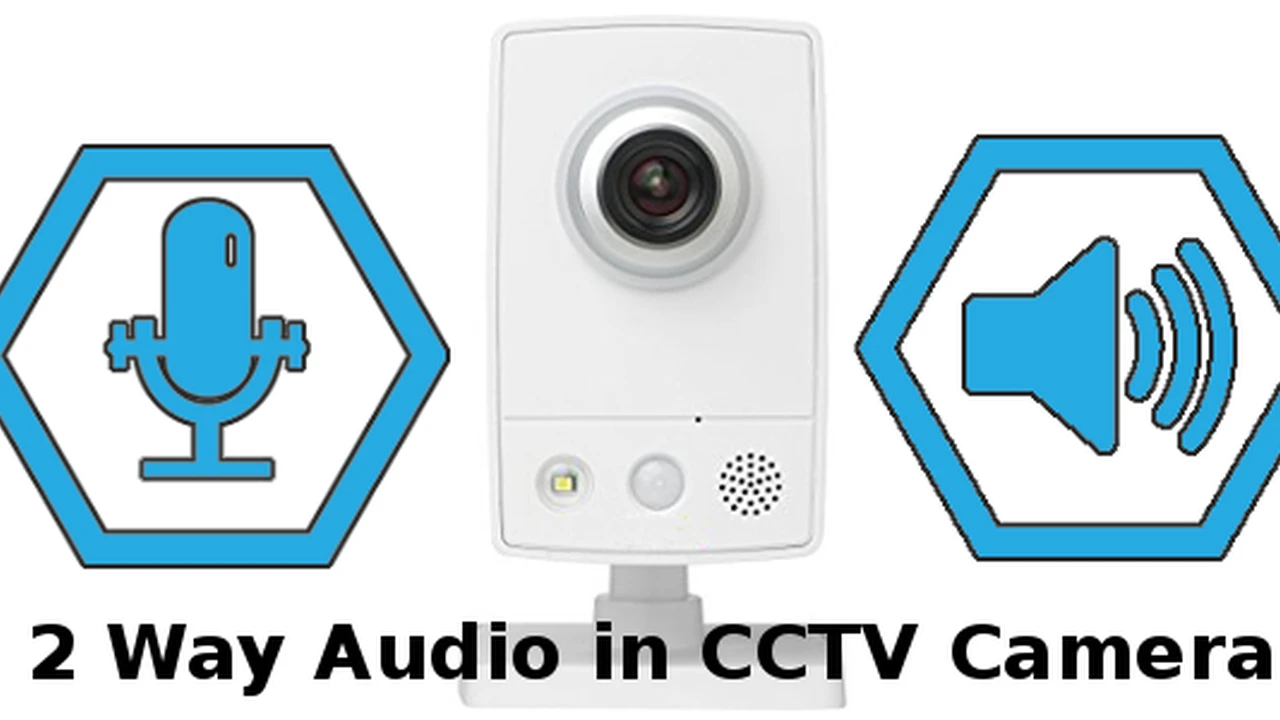
Cameras are often the first thing people think of when it comes to home security. They provide visual deterrence and crucial evidence in case of an incident. Look for cameras with high-definition (1080p or 4K) resolution for clear images, wide-angle lenses to cover more ground, and night vision capabilities (infrared or color night vision) for visibility in low light. Two-way audio is a fantastic feature, allowing you to speak to visitors or deter intruders remotely. Motion detection with customizable zones helps reduce false alarms. Cloud storage for video recordings is almost standard now, but check the subscription costs and storage duration. Some popular camera brands include Arlo (e.g., Arlo Pro 4, around $199), Ring (e.g., Ring Stick Up Cam, around $99), and Google Nest (e.g., Nest Cam, around $99). For outdoor use, ensure cameras are weather-resistant (IP65 or higher rating) and have strong Wi-Fi connectivity or even cellular options for remote locations.
Door and Window Sensors for Entry Point Protection
These are the bread and butter of any security system, alerting you when a door or window is opened. They typically consist of two parts: a sensor and a magnet. When the magnet moves away from the sensor, the circuit is broken, triggering an alarm. Look for compact designs that blend in with your home decor. Most systems include these as standard, but you might need to purchase additional sensors for all entry points. Prices for individual sensors usually range from $15 to $30. For example, SimpliSafe entry sensors are about $14.99 each, while Ring contact sensors are around $20.
Motion Sensors for Interior Coverage
Motion sensors detect movement within a room. Passive Infrared (PIR) sensors are the most common, detecting changes in heat. If you have pets, look for 'pet-immune' motion sensors, which are designed to ignore animals below a certain weight (e.g., 40-80 lbs) to prevent false alarms. Placement is key for motion sensors; avoid pointing them directly at windows or heat sources. A good motion sensor can cover a large area, making it efficient for open-plan living spaces. Expect to pay around $25 to $50 per motion sensor. SimpliSafe motion sensors are about $29.99, and Ring motion detectors are around $29.99.
Glass Break Sensors for Window Security
These sensors listen for the specific sound frequency of breaking glass, providing an early warning if an intruder attempts to smash a window. They are particularly useful for large windows or sliding glass doors that might not be covered by traditional entry sensors. A single glass break sensor can often cover multiple windows in a room. They typically cost between $30 and $60. For example, SimpliSafe glass break sensors are about $34.99.
Environmental Sensors Fire Flood and Carbon Monoxide Detection
A truly comprehensive smart home security system goes beyond just intrusion detection. Integrating environmental sensors can protect your home from other common hazards. Smart smoke and carbon monoxide detectors can alert you via your phone and trigger the alarm system, even if you're not home. Smart flood sensors can detect water leaks in basements, near water heaters, or under sinks, potentially saving you from costly water damage. These sensors often integrate seamlessly with your main security panel. Smart smoke/CO detectors can range from $50 to $150, while flood sensors are typically $30 to $50. Nest Protect (around $119) is a popular smart smoke and CO detector, while many security brands offer their own flood sensors.
Smart Locks for Keyless Entry and Access Control
Integrating smart locks into your security system allows for keyless entry, remote locking/unlocking, and the ability to grant temporary access codes to visitors or service providers. This adds a layer of convenience and control. Look for smart locks that are compatible with your chosen security ecosystem (e.g., Z-Wave, Zigbee, Wi-Fi). Popular brands include August (e.g., August Smart Lock Pro, around $199), Schlage (e.g., Schlage Encode, around $249), and Yale. Ensure they offer strong encryption and tamper alerts.
Connectivity and Smart Home Integration
The 'smart' in smart home security comes from its ability to connect and communicate. Understanding the different connectivity options and how well a system integrates with other smart devices is crucial.
Wi-Fi Z-Wave Zigbee and Cellular Backup
Most DIY systems rely on your home Wi-Fi network for communication. While convenient, this can be a vulnerability if your internet goes down or is intentionally cut. Many systems offer Z-Wave or Zigbee compatibility, which are mesh networking protocols designed for smart home devices. They create a more robust and reliable network, and devices can communicate with each other even if one node goes down. For professional monitoring, cellular backup is a must-have. This ensures your system can still communicate with the monitoring center even if your internet is out or power is lost. Always check if cellular backup is included in your monitoring plan or if it's an additional cost.
Voice Assistant Integration Alexa Google Assistant and Siri
For ultimate convenience, look for systems that integrate with popular voice assistants like Amazon Alexa, Google Assistant, or Apple HomeKit (Siri). This allows you to arm/disarm your system, check camera feeds, or control smart locks using voice commands. This integration can make your security system feel like a seamless part of your smart home ecosystem.
Compatibility with Other Smart Home Devices
If you already have smart lights, thermostats, or other smart devices, consider how well your chosen security system integrates with them. A truly integrated system can create powerful automations, such as turning on lights when motion is detected, adjusting the thermostat when you arm the system, or unlocking doors when a fire alarm goes off. Platforms like Samsung SmartThings, Apple HomeKit, and Google Home can act as central hubs for managing various smart devices, so check for compatibility.
Top Smart Home Security Systems A Comparative Look
Let's dive into some specific product recommendations and comparisons to help you make an informed decision.
SimpliSafe A Popular DIY Smart Home Security Choice
SimpliSafe is a perennial favorite for DIY enthusiasts. It's known for its easy installation, straightforward pricing, and no-contract professional monitoring options. A basic SimpliSafe system (The Foundation) starts around $249.99 and includes a base station, keypad, entry sensor, and motion sensor. Their 'Essentials' package (around $279.99) adds more sensors. SimpliSafe offers a wide range of sensors, including glass break, water, smoke, and CO detectors. Their professional monitoring plans are flexible, starting from $17.99/month for standard monitoring (no app control) to $27.99/month for interactive monitoring, which includes app control, secret alerts, and cellular backup. SimpliSafe's cameras (SimpliCam, around $99; Outdoor Camera, around $189) offer 1080p video and two-way audio. The system integrates with Alexa and Google Assistant. It's a great choice for renters or homeowners who want a flexible, expandable system without long-term commitments.
Ring Alarm A Comprehensive Ecosystem for Home Security
Ring, owned by Amazon, offers a comprehensive ecosystem that extends beyond just security. The Ring Alarm system is another strong DIY contender. A 5-piece kit (base station, keypad, contact sensor, motion detector, range extender) starts around $199.99. Ring's strength lies in its extensive range of cameras (doorbells, floodlight cams, stick-up cams) and smart lighting products, all managed through a single app. Ring Protect Basic (around $3.99/month per device) offers cloud video storage, while Ring Protect Plus (around $20/month) provides professional monitoring, cellular backup, and extended warranties for all your Ring devices. Ring integrates seamlessly with Alexa and offers some integration with Google Assistant. It's ideal for those who are already invested in the Amazon ecosystem or want a wide variety of camera options.
Arlo Security Systems High Quality Cameras and Flexible Options
While primarily known for its high-quality wireless cameras, Arlo also offers a full-fledged security system. The Arlo Security System (starting around $299.99 for a base station and a few sensors) features an all-in-one sensor that can detect motion, open/close, water leaks, light, and even T3/T4 smoke/CO alarm sounds. Arlo cameras, like the Arlo Pro 4 (around $199) or Arlo Ultra 2 (around $299), offer 2K or 4K HDR video, color night vision, and advanced object detection. Arlo Secure plans (starting around $4.99/month per camera or $14.99/month for unlimited cameras) provide cloud storage, advanced detection, and 24/7 professional monitoring. Arlo integrates with Alexa, Google Assistant, and Apple HomeKit. It's a premium option for those prioritizing top-tier camera performance and advanced sensor capabilities.
ADT The Gold Standard in Professional Monitoring
ADT has been a household name in home security for decades, synonymous with professional monitoring. While they offer various packages, a typical ADT system involves professional installation and 24/7 monitoring. Their basic 'Secure' package can start around $36.99/month with a 36-month contract, often requiring an upfront equipment fee (which can vary widely based on promotions and equipment chosen). This usually includes a digital control panel, door/window sensors, and a motion detector. Upgrading to 'Smart' or 'Complete' packages adds smart home integration, video surveillance, and environmental sensors, pushing monthly costs to $49.99 or $59.99+. ADT offers a wide range of equipment, including smart locks, garage door controllers, and outdoor cameras. Their main selling point is the reliability and speed of their professional monitoring service. It's best for those who want a completely hands-off, professionally managed security solution and are comfortable with long-term contracts.
Vivint Smart Home Security and Automation Combined
Vivint offers a premium, professionally installed and monitored smart home security system that heavily emphasizes home automation. Their systems are highly customizable, but also come with a higher price tag. Vivint's basic monitoring plans can start around $39.99/month with a 60-month contract, plus equipment costs that can easily run into hundreds or even thousands of dollars, though financing options are available. A typical Vivint system might include a smart hub, door/window sensors, motion detectors, and a smart thermostat. They offer high-quality cameras (e.g., Vivint Outdoor Camera Pro, around $399), smart locks, garage door controllers, and even car protection. Vivint's strength lies in its seamless integration of security, cameras, and smart home devices into a single, intuitive platform. It's ideal for homeowners who want a fully integrated smart home experience with professional installation and monitoring, and are willing to pay a premium for it.
Budgeting for Your Smart Home Security System
Understanding the costs involved is crucial. It's not just about the initial purchase; ongoing fees can add up.
Upfront Equipment Costs
For DIY systems, you'll pay for the starter kit and any additional sensors or cameras you need. This can range from $150 to $500 for a basic setup, and up to $1000 or more for a comprehensive system with multiple cameras and sensors. Professional systems often have equipment costs rolled into the contract or offered with financing, but be aware that these costs are still there, either upfront or spread out over time.
Monthly Monitoring Fees
This is where the biggest difference lies. Self-monitoring is free, but you're on your own. DIY professional monitoring plans typically range from $10 to $30 per month. Professional security companies usually charge $30 to $60+ per month, often with longer contract terms. Always read the fine print regarding contract length, cancellation fees, and what's included in the monthly fee (e.g., cellular backup, cloud storage, smart home features).
Installation Costs
DIY systems have no installation costs. Professional systems will include installation fees, which can sometimes be waived with certain promotions or higher-tier packages, but often range from $99 to $299 or more, depending on the complexity of the system.
Making Your Final Smart Home Security Decision
Bringing it all together, choosing the right smart home security system is a personal decision that balances your security needs, budget, and desired level of involvement. Start by assessing your property and lifestyle. Do you need basic intrusion detection, or a full-blown smart home ecosystem with environmental protection and automation? Consider your comfort with technology – are you happy to troubleshoot a DIY system, or do you prefer the hands-off approach of professional installation and monitoring?
Compare the features of different systems, paying close attention to camera quality, sensor types, connectivity options, and smart home integration. Don't forget to factor in both upfront equipment costs and ongoing monthly monitoring fees. Read reviews, ask for recommendations, and if possible, try out the app interfaces before committing. Ultimately, the best smart home security system is the one that gives you peace of mind, fits seamlessly into your life, and provides the protection you need without breaking the bank. Happy securing!
:max_bytes(150000):strip_icc()/277019-baked-pork-chops-with-cream-of-mushroom-soup-DDMFS-beauty-4x3-BG-7505-5762b731cf30447d9cbbbbbf387beafa.jpg)