Smart Home Security Systems and Data Privacy Concerns
Address data privacy concerns associated with smart home security systems and learn how to protect your information.
Address data privacy concerns associated with smart home security systems and learn how to protect your information.
Smart Home Security Systems and Data Privacy Concerns
Hey there! So, you're thinking about getting a smart home security system, or maybe you already have one. That's awesome for keeping your place safe, right? But let's be real, with all these cool gadgets connected to the internet, there's a big elephant in the room: data privacy. It's a huge topic, and it's super important to understand what kind of data these systems collect, how it's used, and most importantly, how you can keep your personal information safe and sound. We're going to dive deep into this, so grab a coffee and let's get started!
Understanding Data Collection in Smart Home Security
First off, what exactly are we talking about when we say 'data collection' in the context of smart home security? It's not just about your video doorbell seeing who's at the door. These systems are pretty sophisticated, and they gather a lot more information than you might realize. Think about it: your smart cameras are recording video and audio, motion sensors are tracking movement, door/window sensors know when things open and close, and even your smart locks are logging who comes and goes. Plus, many systems integrate with other smart devices in your home, creating an even larger network of data points.
Types of Data Collected by Smart Security Devices
- Video and Audio Recordings: This is probably the most obvious one. Your security cameras are constantly capturing footage, and many also record audio. This data can be stored locally on an SD card or, more commonly, uploaded to cloud servers.
- Motion Detection Data: Sensors detect movement and often log timestamps and sometimes even the duration of the detected activity.
- Access Logs: Smart locks and access control systems keep a record of who unlocked the door, when, and sometimes even how (e.g., via app, keypad code, or fingerprint).
- Environmental Data: Some systems include sensors for temperature, humidity, smoke, or carbon monoxide, collecting data about your home's environment.
- Usage Data: This includes how you interact with the app, when you arm/disarm the system, and other operational metrics.
- Personal Identifiable Information (PII): When you set up an account, you provide your name, address, email, payment information, and sometimes even biometric data for advanced features.
All this data, when combined, can paint a very detailed picture of your daily life, your habits, and who comes and goes from your home. That's why understanding where it goes and who has access to it is so crucial.
Who Has Access to Your Smart Home Security Data?
This is where things get a bit murky for many people. It's not just you and the company that made your device. There are often several layers of access.
The Manufacturer and Service Providers
The company that makes your smart security system, like Ring, Arlo, SimpliSafe, or Google Nest, will almost certainly have access to your data. This is often outlined in their terms of service and privacy policies (which, let's be honest, most of us just click 'agree' on without reading). They use this data for various reasons: to provide their services (like cloud storage for video), to improve their products, for customer support, and sometimes for marketing purposes. Many also use third-party cloud providers (like Amazon Web Services or Google Cloud) to store your data, meaning those providers also have a degree of access.
Third-Party Integrations and Partners
If your smart security system integrates with other smart home platforms (like Amazon Alexa, Google Assistant, or Apple HomeKit), or with other smart devices (like smart lights or thermostats), then data might be shared between these different companies. Each integration creates another potential pathway for your data to travel.
Law Enforcement and Government Agencies
This is a big one that has garnered a lot of attention. Law enforcement agencies can and do request data from smart home security companies, particularly video footage, often in connection with investigations. While many companies state they require a warrant or subpoena, the specifics can vary, and there have been instances where data was shared without explicit user consent or knowledge. It's important to check the transparency reports that many companies now publish, detailing how often they receive and comply with such requests.
Hackers and Malicious Actors
Unfortunately, no system is 100% hack-proof. If your system or account is compromised, malicious actors could gain unauthorized access to your video feeds, recordings, and other personal data. This is why strong passwords, two-factor authentication, and keeping your software updated are absolutely critical.
Common Data Privacy Concerns and Risks
Let's break down some of the specific privacy concerns that arise with smart home security systems.
Unauthorized Access to Live Feeds and Recordings
The thought of someone watching you in your own home is chilling. Whether it's a hacker, a disgruntled employee of the security company, or even a former partner who still has access to your account, unauthorized viewing of live feeds or stored recordings is a significant risk.
Data Breaches and Identity Theft
If the company storing your data experiences a data breach, your personal information, including your name, address, email, and potentially even payment details, could be exposed. This can lead to identity theft or other forms of fraud.
Surveillance and Tracking
The constant collection of data can lead to a feeling of being constantly surveilled, even by the companies themselves. This data can be used to build detailed profiles about your habits, which could then be used for targeted advertising or other purposes you might not be comfortable with.
Lack of Transparency and Control
Many users feel a lack of transparency about exactly what data is collected, how it's used, and who it's shared with. The privacy policies can be long and complex, making it difficult for the average person to fully understand their rights and options.
Potential for Misuse of Data
Even if data is collected for legitimate purposes, there's always the potential for it to be misused. This could range from sharing aggregated data with third parties without proper anonymization to more nefarious uses if the data falls into the wrong hands.
Protecting Your Privacy with Smart Home Security Systems
Okay, so this all sounds a bit scary, right? But don't worry, there are definitely steps you can take to significantly improve your data privacy and security when using smart home security systems. It's all about being proactive and making informed choices.
Choosing the Right Smart Home Security System
This is your first line of defense. Not all systems are created equal when it comes to privacy. Do your homework!
Ring Alarm Pro
Description: Ring, owned by Amazon, offers a comprehensive DIY security system. The Ring Alarm Pro stands out because it integrates a Wi-Fi 6 router (Eero) directly into the base station, offering network-level security features. This means it can monitor and protect all devices on your home network, not just Ring devices. It also offers local storage options for video recordings with a Ring Protect Pro subscription, which is a big plus for privacy-conscious users. The system includes a variety of sensors (door/window, motion, smoke/CO listeners) and integrates seamlessly with Ring cameras and smart lighting.
Use Case: Ideal for users who want a DIY system with integrated network security and the option for local video storage. Great for homes already invested in the Ring ecosystem.
Privacy Features: Local video storage (with subscription), network-level security via Eero, two-factor authentication, end-to-end encryption for video (optional for some devices). However, Ring has faced scrutiny regarding data sharing with law enforcement, so users should be aware of their policies and transparency reports.
Estimated Price: Starter kits typically range from $250 - $350. Ring Protect Pro subscription is around $20/month or $200/year.
Arlo Pro 4 Spotlight Camera System
Description: Arlo is known for its high-quality wireless cameras. The Arlo Pro 4 offers 2K HDR video, a 160-degree viewing angle, integrated spotlight, and color night vision. While primarily a camera system, it forms the core of a robust surveillance setup. Arlo offers cloud storage plans, but also has options for local storage via a SmartHub (sold separately) with an SD card slot, which is a key privacy feature.
Use Case: Best for users prioritizing high-quality video surveillance, especially outdoors, with the flexibility of wireless installation. Good for those who want local storage options for their video.
Privacy Features: Optional local storage via SmartHub, two-factor authentication, encrypted cloud storage. Arlo generally has a better reputation for user control over data compared to some competitors, but cloud storage still means data is off-site.
Estimated Price: Single camera kits start around $200. Multi-camera kits are $400 - $600. Arlo Secure subscription plans range from $2.99/month per camera to $9.99/month for unlimited cameras.
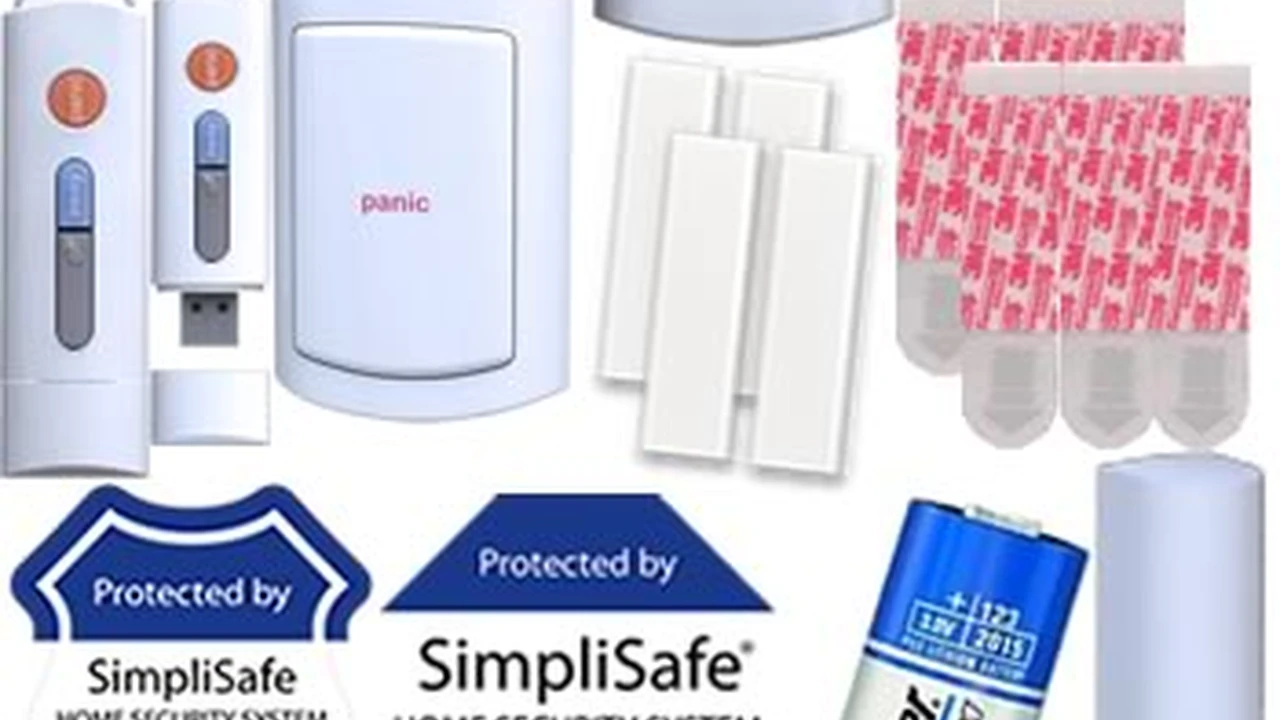
SimpliSafe Home Security System
Description: SimpliSafe is a popular DIY security system known for its ease of installation and straightforward operation. It offers a range of sensors (entry, motion, glass break, smoke, water) and cameras. While its cameras primarily rely on cloud storage for recordings, the core alarm system itself collects less video/audio data than camera-centric systems. It focuses more on event-based alerts and professional monitoring.
Use Case: Excellent for users who want a reliable, easy-to-install DIY alarm system with optional professional monitoring, and are less focused on constant video surveillance from every angle.
Privacy Features: Strong encryption for data transmission, two-factor authentication. While cameras upload to the cloud, the system's primary function is alarm monitoring, which involves less continuous data collection than pure surveillance systems. They emphasize that they do not sell customer data.
Estimated Price: Starter kits range from $200 - $500 depending on components. Monitoring plans start around $17.99/month for self-monitoring and $27.99/month for professional monitoring with camera recording.
Google Nest Secure (Discontinued, but still in use) / Google Nest Cams
Description: While Google Nest Secure has been discontinued, many users still have Nest cameras and other Nest devices. Google Nest cameras offer high-quality video, intelligent alerts, and integration with the broader Google ecosystem. All video recordings are stored in the cloud via a Nest Aware subscription.
Use Case: For users deeply integrated into the Google ecosystem who prioritize smart features and AI-powered detection. However, users should be aware of Google's extensive data collection practices across all its services.
Privacy Features: Two-factor authentication, encrypted cloud storage. Google's privacy policy is comprehensive but also reflects their business model of data collection for various services. Users have some control over data retention and sharing settings within the Google Home app.
Estimated Price: Nest Cams range from $100 - $200 per camera. Nest Aware subscription starts at $6/month or $60/year for 30 days of event video history.
When comparing these, consider the balance between features, cost, and their stated privacy practices. Look for companies that offer end-to-end encryption, local storage options, and clear, transparent privacy policies.
Strong Passwords and Two-Factor Authentication (2FA)
This is non-negotiable. Use unique, strong passwords for your smart security system accounts. Don't reuse passwords from other sites. And absolutely, positively enable two-factor authentication (2FA) wherever it's offered. This adds an extra layer of security, usually requiring a code from your phone in addition to your password, making it much harder for unauthorized users to access your account even if they somehow get your password.
Regular Software Updates
Manufacturers constantly release software and firmware updates for their devices. These updates often include critical security patches that fix vulnerabilities. Make sure your devices are set to update automatically, or manually check for updates regularly. Running outdated software is like leaving a back door open for hackers.
Review Privacy Policies and Terms of Service
Yes, they're long and boring, but try to skim through the privacy policy of any smart security system you're considering. Look for sections on data collection, data storage, data sharing with third parties, and how long they retain your data. If a company is vague or doesn't provide clear answers, that's a red flag.
Limit Data Collection Where Possible
Many systems allow you to customize settings related to data collection. For example:
- Motion Zones: Set specific motion zones for your cameras to only record activity in areas you care about, avoiding public spaces or areas where privacy is less of a concern.
- Recording Schedules: If you don't need 24/7 recording, set schedules for when your cameras are active. Many systems have 'home' and 'away' modes that can automatically adjust recording.
- Audio Recording: Consider if you truly need audio recording. If not, disable it. Audio can capture conversations that you might not want stored or shared.
- Local Storage: If available, prioritize systems that offer local storage options (like an SD card or a local hard drive) for your video recordings. This keeps your data within your home network, reducing reliance on cloud servers.
Secure Your Home Network
Your smart security system is only as secure as your home network. Make sure your Wi-Fi network is protected with a strong password (WPA2 or WPA3 encryption). Consider setting up a separate guest network for visitors to keep your main network isolated. Regularly change your router's default password and keep its firmware updated.
Be Mindful of Device Placement
Think carefully about where you place your cameras. Avoid pointing indoor cameras at areas where you expect a high degree of privacy, like bedrooms or bathrooms. For outdoor cameras, try to angle them so they capture your property without unnecessarily recording your neighbors' property or public spaces, which can lead to privacy disputes.
Understand Data Retention Policies
How long does the company keep your video recordings and other data? Some delete it after a few days or weeks, while others might keep it for longer periods. Understand these policies and see if you have options to manually delete data or shorten retention periods.
Regularly Review Account Activity
Periodically check your smart security system's app or web portal for any unusual activity. Look at access logs, recording history, and any notifications that seem out of place. This can help you spot unauthorized access early.
Consider a VPN for Network Traffic
While not directly related to the data stored by the security company, using a Virtual Private Network (VPN) on your home network (if your router supports it) can encrypt all internet traffic leaving your home, adding an extra layer of privacy for all your connected devices, including your smart security system.
The Balance Between Security and Privacy
Ultimately, using a smart home security system involves a trade-off between convenience, enhanced security, and data privacy. The goal isn't to avoid these systems entirely, but to use them intelligently and with an awareness of the potential risks. By taking the steps we've discussed, you can significantly mitigate many of the privacy concerns and enjoy the benefits of a more secure home without feeling like you're sacrificing your personal information.
Stay informed, stay vigilant, and keep those digital doors locked tight!
:max_bytes(150000):strip_icc()/277019-baked-pork-chops-with-cream-of-mushroom-soup-DDMFS-beauty-4x3-BG-7505-5762b731cf30447d9cbbbbbf387beafa.jpg)