Top 5 Smart Home Security Systems for 2024
Discover the best smart home security systems of 2024 with advanced features and seamless integration for ultimate protection. This comprehensive guide reviews top contenders like SimpliSafe, Ring, Arlo, Abode, and Vivint, detailing their features, pricing, and ideal use cases to help you choose the perfect system for your home.

Discover the best smart home security systems of 2024 with advanced features and seamless integration for ultimate protection. This comprehensive guide reviews top contenders like SimpliSafe, Ring, Arlo, Abode, and Vivint, detailing their features, pricing, and ideal use cases to help you choose the perfect system for your home.
Top 5 Smart Home Security Systems for 2024
Hey there! Looking to beef up your home security in 2024? You've come to the right place. With so many options out there, picking the right smart home security system can feel like a maze. But don't sweat it! We've done the heavy lifting for you, diving deep into the market to bring you the top 5 smart home security systems that are truly worth your attention this year. We're talking about systems that offer advanced features, seamless integration, and ultimately, peace of mind. Whether you're a tech-savvy homeowner or just starting your smart home journey, this guide will help you navigate the choices and find the perfect fit for your sanctuary.
Understanding Smart Home Security Systems What to Look For
Before we jump into the top picks, let's quickly chat about what makes a smart home security system truly 'smart' and what key features you should be on the lookout for. It's not just about alarms anymore; it's about a connected ecosystem that works together to protect your home. Think about things like:
- Integration Capabilities: Does it play nice with other smart devices you already own, like smart locks, thermostats, or voice assistants?
- Monitoring Options: Do you prefer professional monitoring (where a team watches over your home 24/7) or self-monitoring (where you get the alerts and decide what to do)?
- Ease of Installation: Are you a DIY enthusiast, or would you rather have a professional handle the setup?
- Scalability: Can you easily add more sensors, cameras, or other devices as your needs grow?
- Cost: What's the upfront cost for equipment, and are there monthly fees for monitoring or cloud storage?
- Reliability and Customer Support: How well does the system perform, and what kind of support can you expect if something goes wrong?
Keeping these points in mind will help you evaluate each system effectively and make an informed decision.
SimpliSafe The Best Overall Smart Home Security System
When it comes to a balance of affordability, ease of use, and comprehensive protection, SimpliSafe consistently tops the charts. It's a fantastic option for both renters and homeowners, especially those who appreciate a straightforward DIY installation process.
SimpliSafe Key Features and Benefits for Home Security
- DIY Installation: Seriously, it's a breeze. Most components are wireless and pre-paired, so you can set it up in under an hour without needing any tools or drilling.
- Flexible Monitoring: SimpliSafe offers both self-monitoring and professional monitoring plans. Their professional monitoring is highly rated, with 24/7 dispatch and cellular backup, meaning your system stays connected even if your Wi-Fi goes down.
- Wide Range of Sensors: Beyond standard entry and motion sensors, SimpliSafe offers glass break sensors, water sensors, smoke detectors, and even carbon monoxide detectors, providing a holistic approach to home safety.
- No Contracts: This is a huge plus! You can cancel your professional monitoring plan anytime without penalty.
- Smart Home Integration: While not as extensive as some competitors, SimpliSafe integrates with Amazon Alexa, Google Assistant, and August Smart Locks, allowing for voice control and enhanced access management.
- Affordable Equipment and Monitoring: SimpliSafe's starter kits are reasonably priced, and their monthly monitoring fees are among the most competitive in the industry.
SimpliSafe Product Recommendations and Pricing
SimpliSafe offers several pre-configured packages, but you can also build your own custom system. Here are a couple of popular options:
- The 'Foundation' Package: Ideal for smaller homes or apartments. Includes a base station, keypad, entry sensor, and motion sensor.
- The 'Essentials' Package: A great starting point for most homes. Adds more entry and motion sensors.
- The 'Hearth' Package: Includes environmental sensors like smoke and carbon monoxide detectors, offering broader protection.
- The 'Knox' Package: Their most comprehensive package, suitable for larger homes, with multiple entry, motion, and environmental sensors, plus a siren.
Pricing: Starter kits typically range from $200 to $500, depending on the package. Professional monitoring plans start around $17.99/month for standard monitoring and go up to $27.99/month for interactive monitoring, which includes app control, secret alerts, and video recording for cameras. Self-monitoring is free, but you won't get professional dispatch.
SimpliSafe Ideal Use Cases
SimpliSafe is perfect for:
- Renters who need a portable and easy-to-install system.
- Homeowners looking for a reliable, no-contract security solution.
- Individuals who prefer DIY installation and want to save on professional setup fees.
- Anyone seeking a balance of affordability and comprehensive protection.
Ring Alarm Pro Advanced Security and Smart Home Integration
Ring, a subsidiary of Amazon, has become a household name for its video doorbells and security cameras. The Ring Alarm Pro takes their security offerings to the next level by integrating a powerful eero Wi-Fi 6 router directly into the base station, offering not just security but also a robust network foundation for your smart home.
Ring Alarm Pro Key Features and Benefits for Connected Homes
- Integrated Eero Wi-Fi 6 Router: This is the standout feature. The base station doubles as a Wi-Fi router, providing fast, reliable internet and a secure network for all your smart devices. This also means your security system has a dedicated, strong connection.
- Backup Internet: With a Ring Protect Pro subscription, you get 24/7 backup internet (3GB per month included, with options to buy more) in case your primary internet goes down. This ensures your security system and other critical smart devices stay online.
- Comprehensive Device Ecosystem: Ring boasts an extensive range of security cameras (indoor, outdoor, floodlight), video doorbells, smart lighting, and various sensors (contact, motion, glass break, smoke/CO listener). Everything works seamlessly within the Ring app.
- Professional Monitoring: The Ring Protect Pro plan includes 24/7 professional monitoring, cellular backup, and Alexa Guard Plus for enhanced sound detection.
- DIY Installation: Like SimpliSafe, Ring Alarm Pro is designed for easy DIY setup, making it accessible for most users.
- Alexa Integration: As an Amazon company, Ring products integrate flawlessly with Amazon Alexa, allowing for extensive voice control and automation.
Ring Alarm Pro Product Recommendations and Pricing
Ring offers various Alarm Pro kits, often bundled with cameras or doorbells.
- Ring Alarm Pro 8-Piece Kit: A popular choice for many homes. Includes the Alarm Pro Base Station, keypad, 4 contact sensors, 2 motion detectors, and a range extender.
- Ring Alarm Pro 14-Piece Kit: For larger homes, offering more sensors for broader coverage.
- You can also customize your system by adding individual components like Ring Video Doorbells, Floodlight Cams, Stick Up Cams, and various environmental sensors.
Pricing: Starter kits for Ring Alarm Pro typically range from $250 to $400. The Ring Protect Pro subscription, which includes professional monitoring, backup internet, and video recording for all Ring cameras at one location, costs $20/month or $200/year. This is a great value if you have multiple Ring cameras.
Ring Alarm Pro Ideal Use Cases
Ring Alarm Pro is ideal for:
- Smart home enthusiasts who want a unified security and network solution.
- Users who already own Ring cameras or video doorbells and want to expand their ecosystem.
- Homes that benefit from a robust Wi-Fi 6 mesh network.
- Anyone looking for reliable backup internet for their security system and smart devices.
Arlo Pro 4 The Best for Wireless Outdoor Security Cameras
While Arlo doesn't offer a traditional 'alarm system' in the same vein as SimpliSafe or Ring, its strength lies in its industry-leading wireless security cameras, particularly for outdoor surveillance. If your primary concern is high-quality video monitoring, especially outdoors, Arlo is a top contender.
Arlo Pro 4 Key Features and Benefits for Video Surveillance
- Superior Wireless Cameras: Arlo's cameras are truly wireless (battery-powered) and offer excellent video quality, often up to 2K HDR, with a wide 160-degree viewing angle.
- Weather-Resistant Design: Built to withstand the elements, Arlo cameras are perfect for outdoor placement, providing reliable surveillance year-round.
- Integrated Spotlight and Siren: Many Arlo cameras, like the Pro 4, include an integrated spotlight and siren, which can be triggered manually or automatically upon motion detection to deter intruders.
- Color Night Vision: Get clear, full-color video even in low-light conditions, providing more detail than traditional black-and-white night vision.
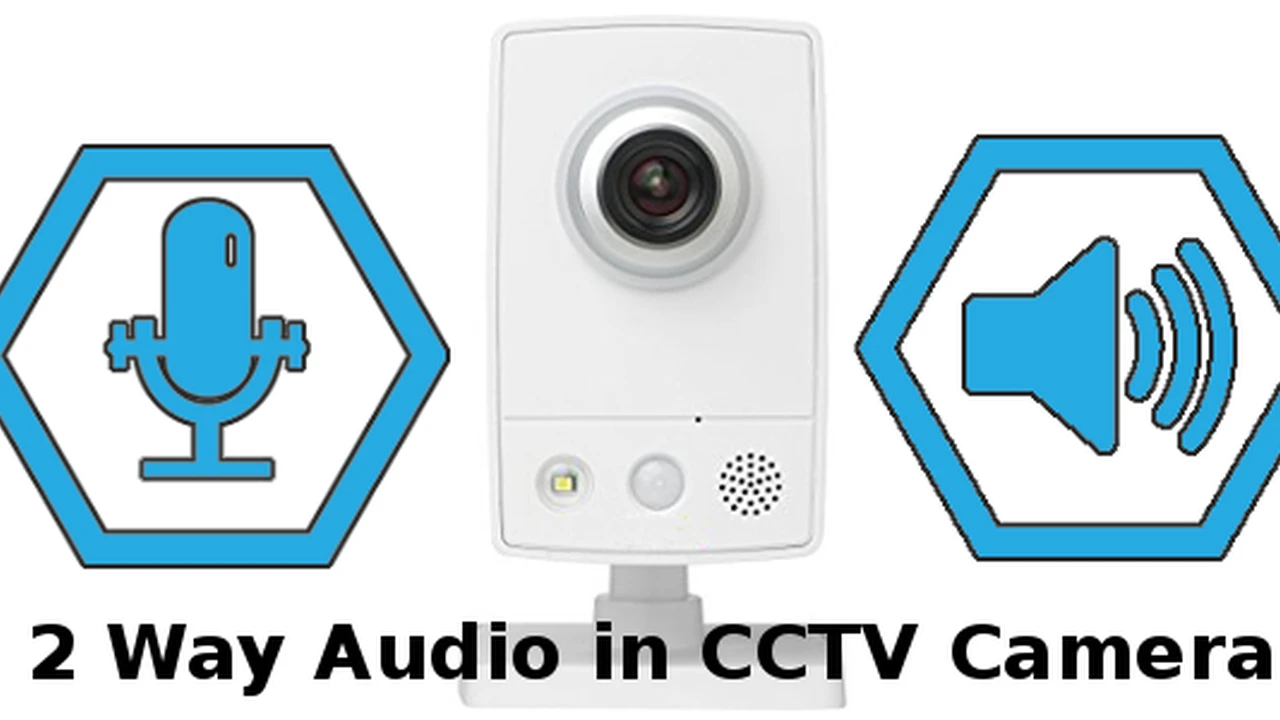
- Two-Way Audio: Communicate with visitors or deter unwanted guests directly through the camera.
- Flexible Storage Options: Arlo offers cloud storage plans (Arlo Secure) and local storage options via a SmartHub (for some models), giving you flexibility in how you save your footage.
Arlo Pro 4 Product Recommendations and Pricing
Arlo systems are typically built around their cameras. The Arlo Pro 4 is a fantastic all-rounder.
- Arlo Pro 4 Spotlight Camera: Available individually or in multi-camera packs (2-pack, 3-pack, 4-pack). Each camera comes with a rechargeable battery and a magnetic mount for easy installation.
- Arlo Ultra 2: For those who want the absolute best video quality (4K HDR) and advanced features.
- Arlo Essential: A more budget-friendly option, still offering great features like 1080p video and integrated spotlight.
- Arlo Video Doorbell: Integrates seamlessly with your Arlo camera system for a complete front-door security solution.
Pricing: Individual Arlo Pro 4 cameras typically cost around $180-$200. Multi-camera packs offer better value. The Arlo Secure subscription, which enables cloud recording, advanced object detection (person, vehicle, animal, package), and interactive notifications, starts at $4.99/month for a single camera or $12.99/month for unlimited cameras at one location. Without a subscription, you'll lose access to most smart features and cloud storage.
Arlo Pro 4 Ideal Use Cases
Arlo is best for:
- Homeowners prioritizing high-quality outdoor video surveillance.
- Those who need truly wireless cameras for flexible placement without power outlets.
- Users who want advanced features like color night vision and integrated spotlights.
- Individuals who are comfortable with self-monitoring their video feeds or want a robust video component to complement an existing alarm system.
Abode Smart Security System The Best for Smart Home Integration and Customization
Abode stands out for its deep smart home integration capabilities and its highly customizable system. If you're looking for a security system that can truly be the brain of your smart home, allowing you to automate various devices and create complex routines, Abode is an excellent choice.
Abode Key Features and Benefits for Smart Home Automation
- Extensive Smart Home Compatibility: Abode is a Z-Wave and Zigbee hub, meaning it can connect with a vast array of third-party smart devices, including smart locks, lighting, thermostats, and more, from brands like Philips Hue, Yale, Kwikset, and Ecobee.
- CUE Automation Engine: This powerful feature allows you to create highly customized automation rules. For example, you can set lights to turn on when a motion sensor is triggered, or have your doors lock automatically when you arm the system.
- Flexible Monitoring Options: Abode offers self-monitoring with app alerts, on-demand professional monitoring (pay per use), and full 24/7 professional monitoring plans.
- Variety of Devices: Abode offers a comprehensive suite of security devices, including door/window sensors, motion sensors (including pet-immune), glass break sensors, smoke/CO listeners, and various cameras (indoor, outdoor, doorbell).
- Sleek Design: Abode's devices are generally well-designed and blend seamlessly into modern home aesthetics.
- No Contracts: Similar to SimpliSafe, Abode does not require long-term contracts for its monitoring plans.
Abode Product Recommendations and Pricing
Abode offers a few starter kits, and you can expand from there.
- Abode Iota All-in-One Security Kit: This is their flagship product, featuring a gateway with a built-in 1080p camera, siren, and motion sensor. It also acts as your Z-Wave/Zigbee hub. Includes a mini door/window sensor and a keyfob.
- Abode Smart Security Kit: A more traditional hub-based system (without the built-in camera), offering similar functionality for smart home integration. Includes a gateway, mini door/window sensor, motion sensor, and keyfob.
- You can add various Abode-branded sensors, cameras, and integrate numerous third-party Z-Wave/Zigbee devices.
Pricing: Starter kits typically range from $200 to $300. Abode's monitoring plans are flexible: a free basic plan for self-monitoring, a Standard plan ($6/month or $60/year) for cellular backup and limited video storage, and a Pro plan ($20/month or $200/year) for 24/7 professional monitoring, cellular backup, and extended video storage. They also offer on-demand professional monitoring for $8 for 3 days.
Abode Ideal Use Cases
Abode is perfect for:
- Tech-savvy users who want deep smart home integration and automation.
- Homeowners who already have a collection of Z-Wave or Zigbee devices.
- Those who value customization and want to create complex security and home automation routines.
- Users who appreciate flexible monitoring options, including on-demand professional monitoring.
Vivint Smart Home Security Premium Features and Professional Installation
Vivint sits at the premium end of the smart home security market, offering a fully integrated, professionally installed, and professionally monitored system. If you're looking for a high-end, hands-off experience with cutting-edge technology and excellent customer service, Vivint is a strong contender.
Vivint Key Features and Benefits for Premium Home Protection
- Professional Installation and Setup: Vivint handles everything from installation to system configuration, ensuring optimal placement and functionality of all devices. This is a huge plus for those who prefer not to deal with DIY setup.
- Proprietary Smart Home Ecosystem: Vivint offers a comprehensive suite of proprietary devices, including smart thermostats, smart locks, garage door controllers, indoor/outdoor cameras, video doorbells, and various sensors, all designed to work seamlessly together.
- 24/7 Professional Monitoring: All Vivint systems come with professional monitoring, ensuring rapid response to alarms.
- Advanced AI-Powered Cameras: Vivint's cameras feature advanced analytics, such as person detection, package detection, and even lurker detection, providing smarter alerts and reducing false alarms.
- Voice Control and Automation: The system integrates with Amazon Alexa and Google Assistant, and its own Vivint Smart Hub panel allows for intuitive control and automation of all connected devices.
- Dedicated Customer Support: Vivint is known for its responsive customer service and technical support.
Vivint Product Recommendations and Pricing
Vivint systems are highly customized based on your home's needs after a consultation. They don't typically offer fixed 'packages' in the same way as DIY systems.
- Vivint Smart Hub: The central control panel for your entire system.
- Vivint Doorbell Camera Pro: Features 180-degree view, 1080p HDR, and package detection.
- Vivint Outdoor Camera Pro: AI-powered camera with lurker detection and a 90dB siren.
- Vivint Indoor Camera: Offers two-way talk and a privacy shutter.
- Smart Locks: Integrates with Kwikset and Yale smart locks.
- Thermostat: Vivint's own smart thermostat for energy management.
- Various sensors: Door/window, motion, glass break, smoke, CO, water.
Pricing: This is where Vivint differs significantly. Equipment costs can be substantial, often ranging from $500 to $1,500 or more, depending on the number and type of devices. You can either pay for the equipment upfront or finance it over 42 or 60 months. Professional monitoring plans typically start around $39.99/month for basic security and go up to $49.99/month or more for full smart home integration and video services. Vivint requires a contract, usually 42 or 60 months, if you finance the equipment.
Vivint Ideal Use Cases
Vivint is best for:
- Homeowners who want a premium, professionally installed, and fully integrated smart home security system.
- Those who prefer a hands-off approach to installation and maintenance.
- Users who value advanced AI-powered camera features and a comprehensive smart home ecosystem.
- Individuals willing to invest more for top-tier equipment, service, and long-term contracts.
Comparing the Top 5 Smart Home Security Systems Side by Side
Let's put our top contenders head-to-head to give you a clearer picture of their strengths and differences.
Feature Comparison Chart Smart Home Security Systems
| Feature | SimpliSafe | Ring Alarm Pro | Arlo Pro 4 (Cameras) | Abode | Vivint |
|---|---|---|---|---|---|
| Installation | DIY | DIY | DIY | DIY | Professional |
| Monitoring Options | Self/Pro | Self/Pro | Self (via app) | Self/On-Demand/Pro | Professional Only |
| Contracts | No | No (for monitoring) | No (for monitoring) | No | Yes (if financing) |
| Smart Home Integration | Alexa, Google, August | Alexa, Google (limited) | Alexa, Google, HomeKit | Alexa, Google, HomeKit, Z-Wave, Zigbee | Alexa, Google, Proprietary |
| Camera Quality | 1080p | 1080p (Ring Cams) | 2K HDR (Pro 4) | 1080p | 1080p/4K (Doorbell/Outdoor Pro) |
| Unique Selling Point | Affordable, DIY, No Contract | Integrated Eero Wi-Fi 6, Backup Internet | Best Wireless Outdoor Cameras | Deep Smart Home Integration, Custom Automation | Premium, Professional Service, Advanced AI |
| Typical Equipment Cost | $200 - $500 | $250 - $400 | $180 - $800+ (per camera/kit) | $200 - $300 | $500 - $1500+ |
| Typical Monthly Monitoring | $0 - $27.99 | $0 - $20 | $0 - $12.99 | $0 - $20 | $39.99 - $49.99+ |
Choosing the Right Smart Home Security System for Your Needs
So, how do you pick the winner for your home? It really boils down to your priorities:
- For Budget-Conscious DIYers: SimpliSafe is your go-to. It offers solid protection without breaking the bank, and you can set it up yourself.
- For Amazon Ecosystem Users and Network Enthusiasts: Ring Alarm Pro is a fantastic choice, especially if you value a strong, secure Wi-Fi network and already have Ring devices.
- For Top-Tier Video Surveillance: If crystal-clear outdoor video is your main concern, Arlo's cameras are unmatched.
- For Smart Home Automation Gurus: Abode offers unparalleled flexibility and integration with a wide range of smart devices, making it the hub of your connected home.
- For Premium Service and Advanced Tech: If you want a hands-off, professionally installed system with cutting-edge AI features and don't mind the higher cost, Vivint delivers a premium experience.
Installation and Setup Tips for Your Smart Home Security System
No matter which system you choose, a proper installation is key to its effectiveness. Here are some general tips:
- Read the Manual: Seriously, it's there for a reason! Even for DIY systems, the manual provides crucial information.
- Optimal Sensor Placement:
- Entry Sensors: Place on all accessible doors and windows.
- Motion Sensors: Position them in high-traffic areas, but avoid pointing them directly at windows or heat sources to prevent false alarms. Consider pet-immune sensors if you have furry friends.
- Cameras: Place outdoor cameras to cover entry points and vulnerable areas. Ensure they are out of easy reach but still provide a good field of view. Indoor cameras are great for monitoring common areas.
- Test Everything: After installation, thoroughly test every sensor, camera, and alarm to ensure it's working correctly and communicating with the base station.
- Secure Your Network: If your system relies on Wi-Fi, make sure your network is secure with a strong, unique password.
- Consider Professional Help: If you're unsure about any part of the installation, especially for wired components or complex systems, don't hesitate to call in a professional.
Maintaining Your Smart Home Security System for Longevity
Once your system is up and running, a little maintenance goes a long way in ensuring its continued reliability.
- Regular Battery Checks: Most wireless sensors and cameras run on batteries. Keep an eye on battery levels through your app and replace them proactively.
- Clean Camera Lenses: Dust, dirt, and cobwebs can obscure camera views, especially outdoors. Gently clean lenses regularly.
- Software Updates: Keep your system's firmware and app updated. Manufacturers frequently release updates that improve performance, add features, and patch security vulnerabilities.
- Test Your Alarm: Periodically test your alarm system (after notifying your monitoring company if you have professional monitoring) to ensure the siren is working and alerts are being sent.
- Review Event Logs: Regularly check your system's event logs or video history to stay aware of any activity and ensure everything is being recorded as expected.
There you have it! The top 5 smart home security systems for 2024, broken down to help you make the best choice for your home and family. Each system has its unique strengths, so consider what matters most to you – whether it's budget, DIY friendliness, advanced cameras, smart home integration, or premium service. Investing in a good smart home security system is investing in your peace of mind, and with these options, you're well on your way to a safer, smarter home.
:max_bytes(150000):strip_icc()/277019-baked-pork-chops-with-cream-of-mushroom-soup-DDMFS-beauty-4x3-BG-7505-5762b731cf30447d9cbbbbbf387beafa.jpg)